


At some point, almost every Substack writer hits the same thought: “Maybe this should be a new newsletter.”
You have a new idea, a different format, or a side thread you want to explore. And suddenly you’re wondering whether it belongs under your existing publication, or whether you need to start something entirely new.
In many cases, there’s a better option: Substack sections.
Sections exist for exactly this moment. They let you publish distinct streams of content without splitting your audience, fragmenting your brand, or forcing readers into another subscription decision they didn’t ask for.
This guide explains how sections actually work on Substack, how they differ from publications, and when using a section makes sense, so you can expand what you publish without overcomplicating your setup.
What Is a Substack Section?
A Substack section is a distinct content stream within a publication that readers can subscribe to independently. It allows them to receive only specific types of posts while remaining part of the same publication and paid subscription, rather than a separate newsletter with its own paywall.
Sections work best when you have clearly different streams of content that:
Serve different reader needs.
Have different formats or cadences.
Or could make sense as standalone newsletters.
This is what makes sections so powerful: you can expand what you publish and experiment with new ideas without fragmenting your audience or asking loyal readers to subscribe (and pay) again.
However, sections should not be used for:
Creating a stream for every topic you write about.
Micromanaging organization.
Fixing uncertainty about your publication’s focus.
A helpful rule: If a reader might reasonably want only this type of content, it may deserve its own section. If not, it probably doesn’t. Most Substacks work best with no more than a handful of sections. More than that is almost always a signal that tags would do the job better.

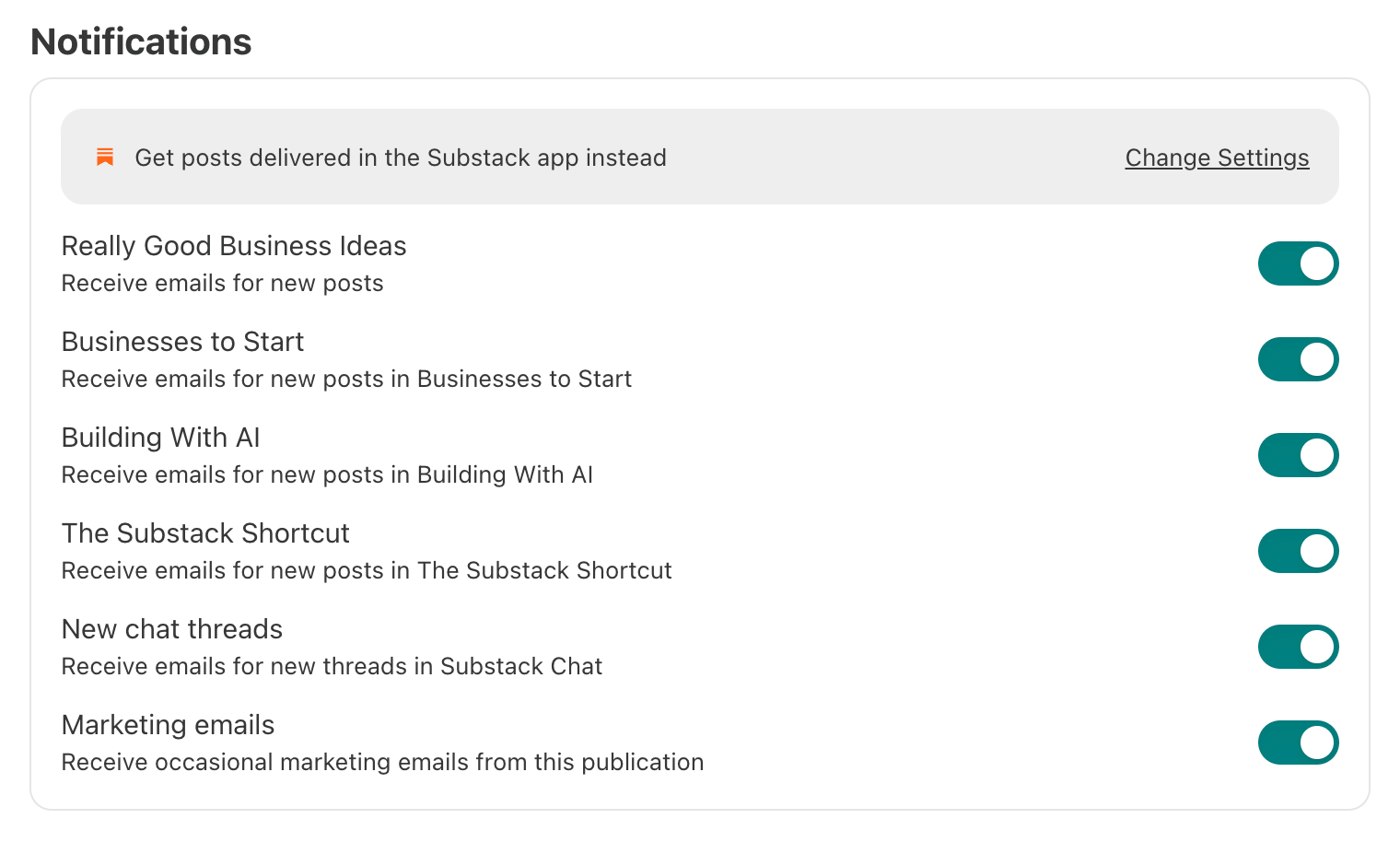
How I Use Sections with Really Good Business Ideas
I use sections for broad topics I write about frequently. That way, if I have readers who are not interested in that topic, they can easily opt out and still get the rest of my content.
Really Good Business Ideas currently has three sections.
The Substack Shortcut, where all my Substack business content lives.
Why a section? Substack is one of many business topics I write about, but after noticing strong demand for my Substack articles, I started covering it more often and in more depth. I know many of my subscribers are not particularly interested in Substack, so I created a section that lets readers opt out while still receiving the rest of my business content.
Building With AI, where content about using AI for business lives.
Why a section? I spend a lot of time exploring how AI can be used to help businesses succeed. Not because I’m an AI fanatic, but because it’s my job to stay on top of trends and technology. As generative AI became more useful in business, I started writing it more often. I know AI can be a polarizing topic, so I created a section that lets readers decide whether to receive these articles or not.
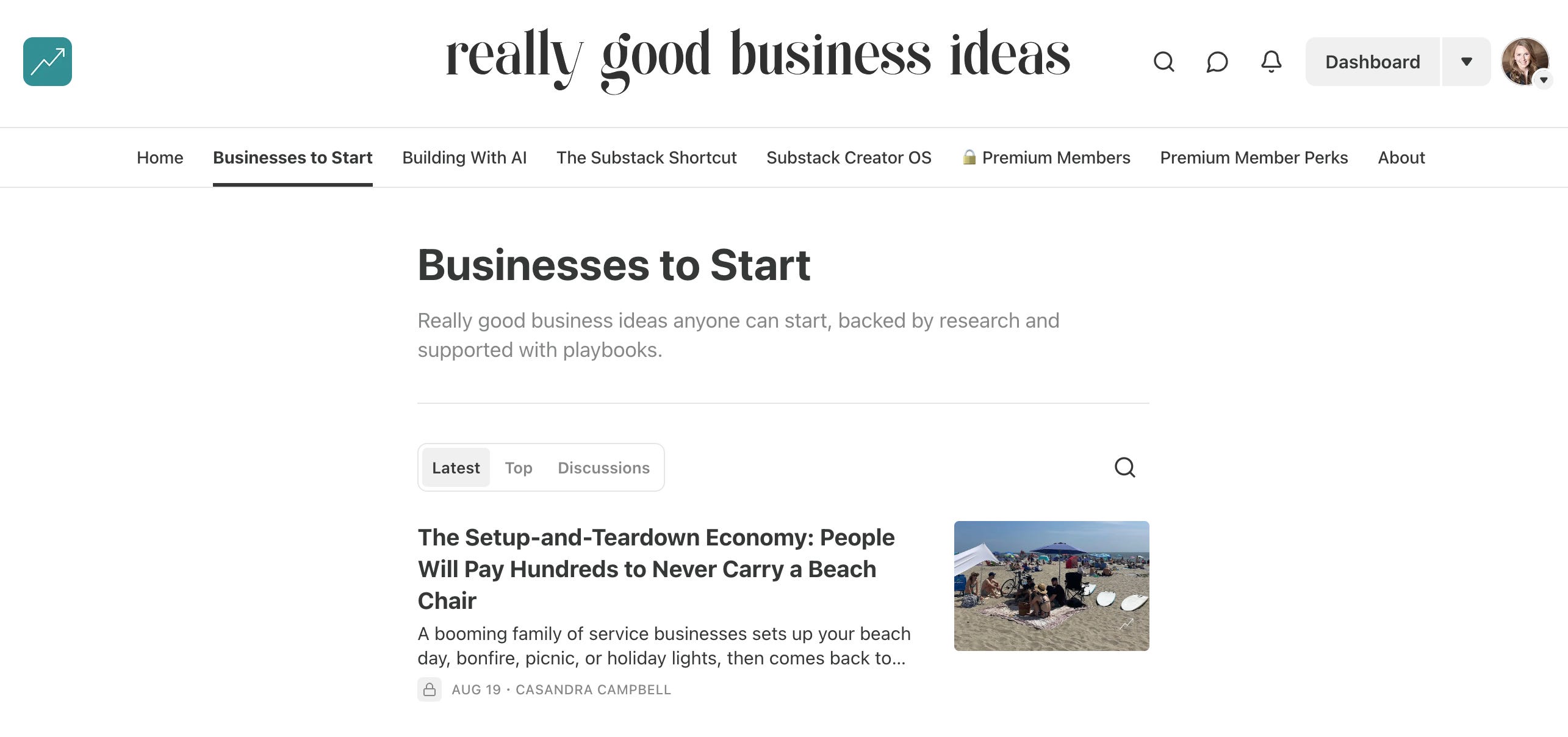
Businesses to Start, where my researched business idea breakdowns live.
Why a section? I love to analyze and share research-based business ideas, but not every subscriber is actively looking for their next venture at any given moment. A section gives readers control over how many new opportunity breakdowns land in their inbox while they keep receiving the rest of my content.
Really Good Business Ideas, my main section, is for everything else, including general growth and entrepreneurship content.
Sections vs Publications: How to Choose
When you’re deciding between creating a section or starting a new publication, you’re usually stuck at the same crossroads: you have a new idea, but you don’t know whether it belongs under what you’ve already built or needs to stand on its own.
This decision isn’t about how different the content feels to you. It’s about how much separation it creates for the reader: in their inbox, in their subscription list, and at checkout.
When to Create a Publication Section
The content fits under the same overall brand or point of view.
You want readers to pay once, not multiple times.
Many subscribers may want this content, but not all of them.
You’re experimenting with a new format or idea.
You want the flexibility to grow or wind it down without major disruption.
Sections let you expand sideways without breaking trust or fragmenting your audience.
When to Create a New Publication
The audience is meaningfully different.
The value proposition is distinct enough to stand on its own.
You’d feel comfortable charging for it separately and feel confident you’ll be able to maintain a decent publishing frequency.
You want completely independent branding, positioning, and growth.
A helpful gut check: If someone happily pays for your main publication, would it feel reasonable to charge them again for this?
If yes, it may deserve its own publication. If no, it probably belongs as a section.
Click here to open the table in a new tab.
Most creators reach for a new newsletter too early.
Sections give you room to test, refine, and learn without committing to a second product. You can always spin a successful section out into its own publication later, but it’s much harder to merge things back together.
How to Manage Substack Publication Sections
Once you understand when sections make sense, the mechanics are straightforward. Substack makes it very easy to create, edit, and manage sections. Below is a step-by-step walkthrough of how to manage sections, along with the key settings that matter most.
How to Create or Edit Sections
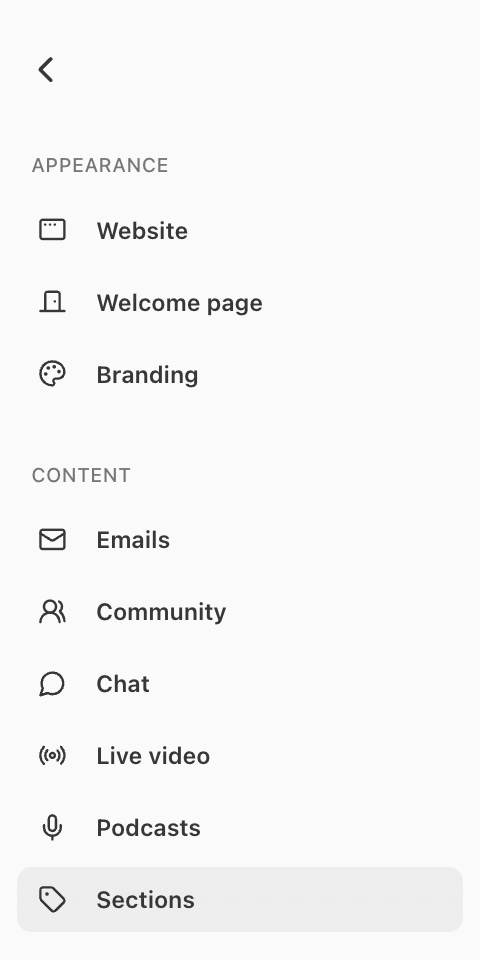
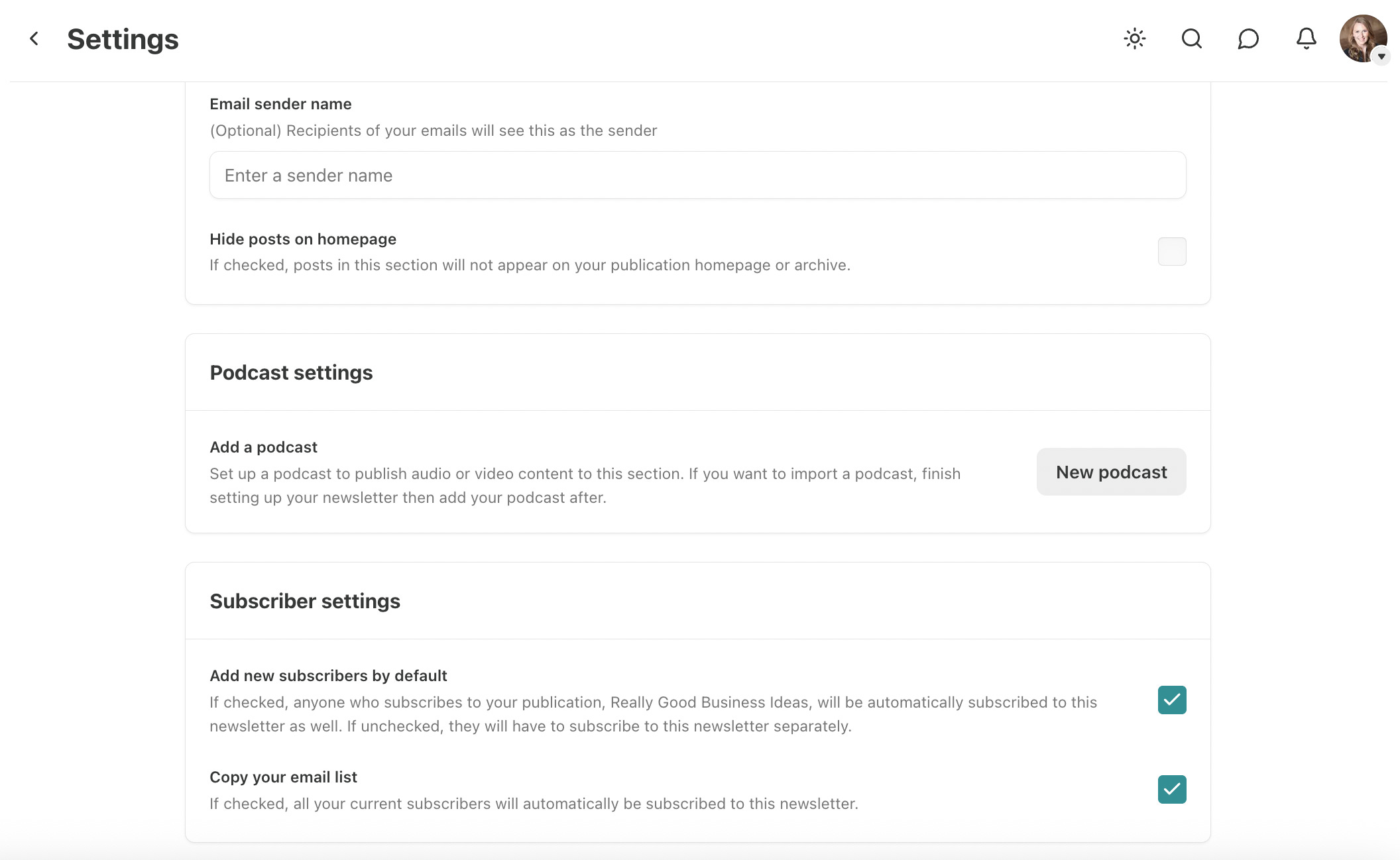
In your Substack dashboard, click Settings, then Sections. You’ll find it listed under Content.
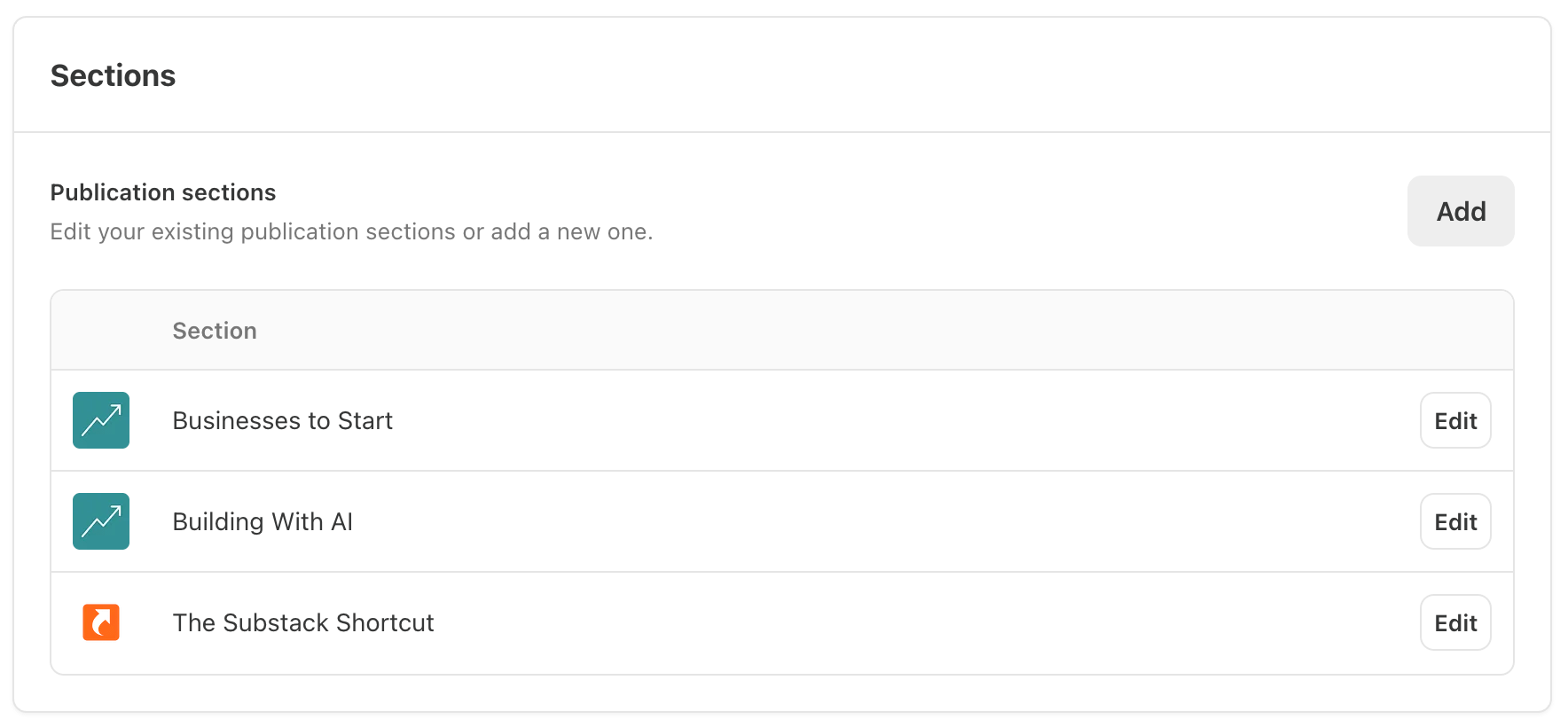
Click Add to create a new section, or modify an existing section by clicking Edit.
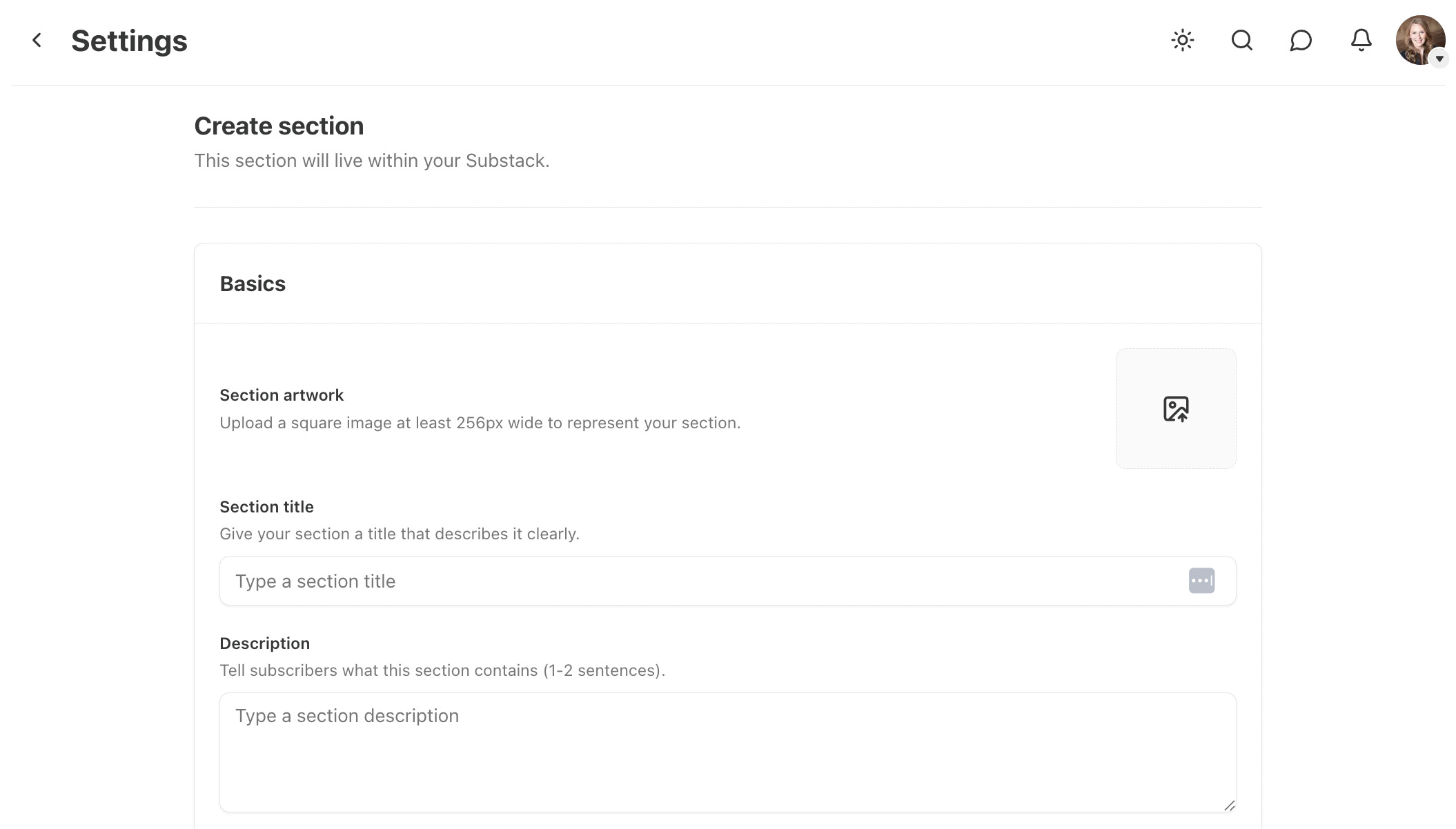
For each section you can:
Upload a logo.
Name the section.
Write a description.
Customize your email sender name.
Choose if you want your section to appear as a menu item on your homepage.
Choose your default subscription settings:
Copy your current email list to this section (yes or no).
Add new subscribers by default (yes or no).
How to Publish to a Section
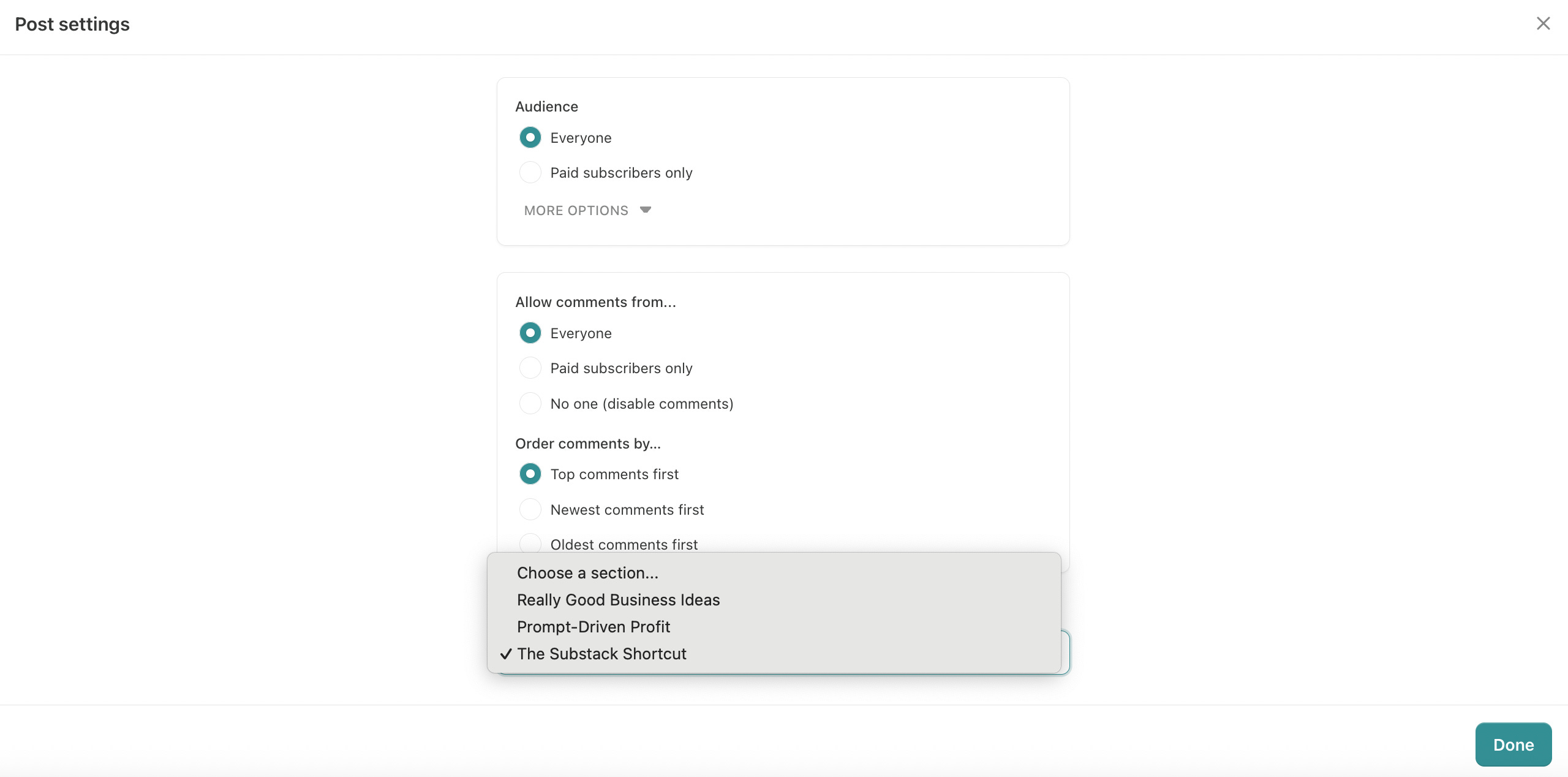
Each post can be assigned to a section on the post’s settings page. A post can only belong to one section, and that choice determines who receives it. Note that you can always change the section assignment later, which means you can add already published posts to a new section after creating it.
Saved subscriber segments give you a second way to control who receives a post. When you publish, you can expand the Advanced settings and check Only send to a specific audience segment to limit the post’s email to a saved segment. The post is still published publicly in its section on your website and in the app, but the email and push notification are only sent to the saved segment.
How to Customize a Section’s Layout
From your Substack dashboard, click Settings, Website, and Edit theme.
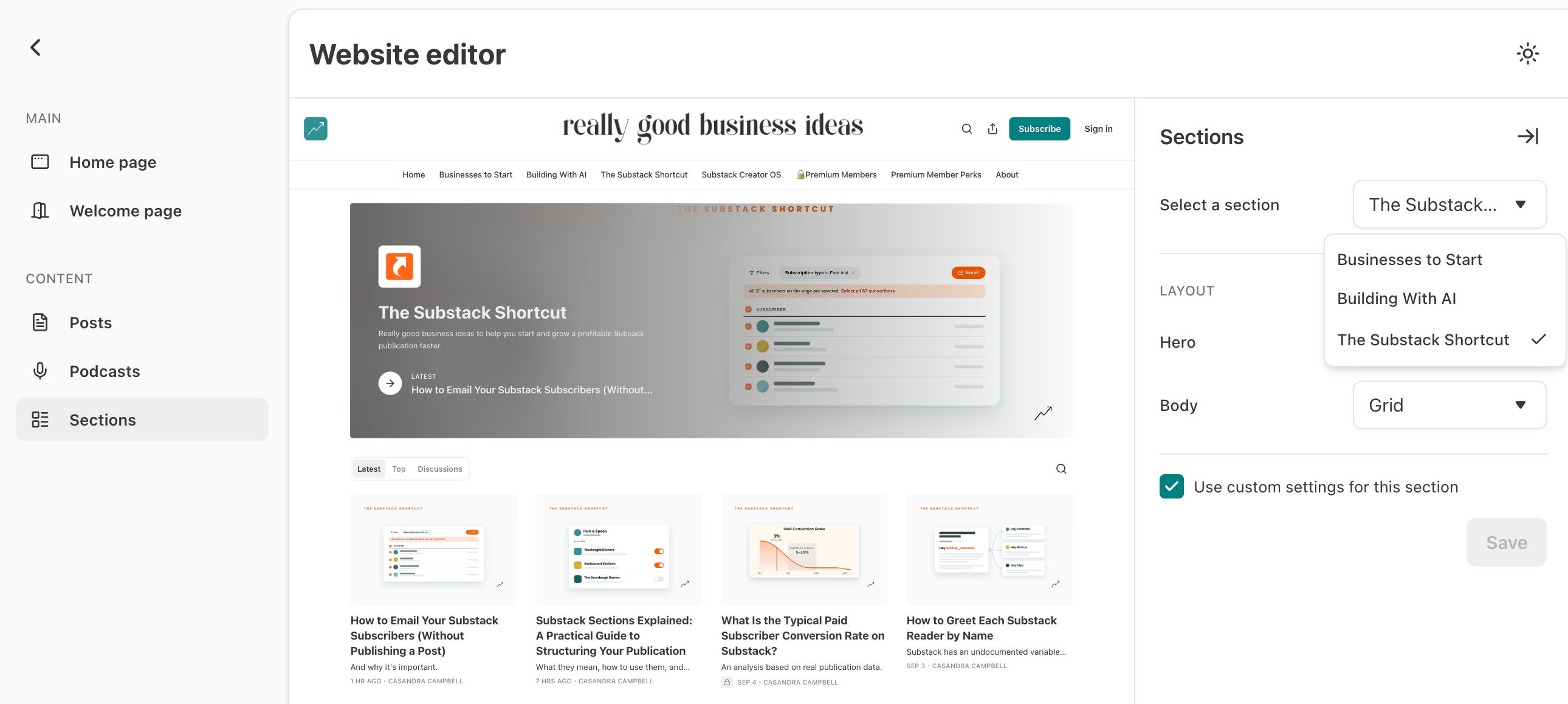
Once there, click on Sections on the left, and choose any section from the dropdown on the right to customize its layout.
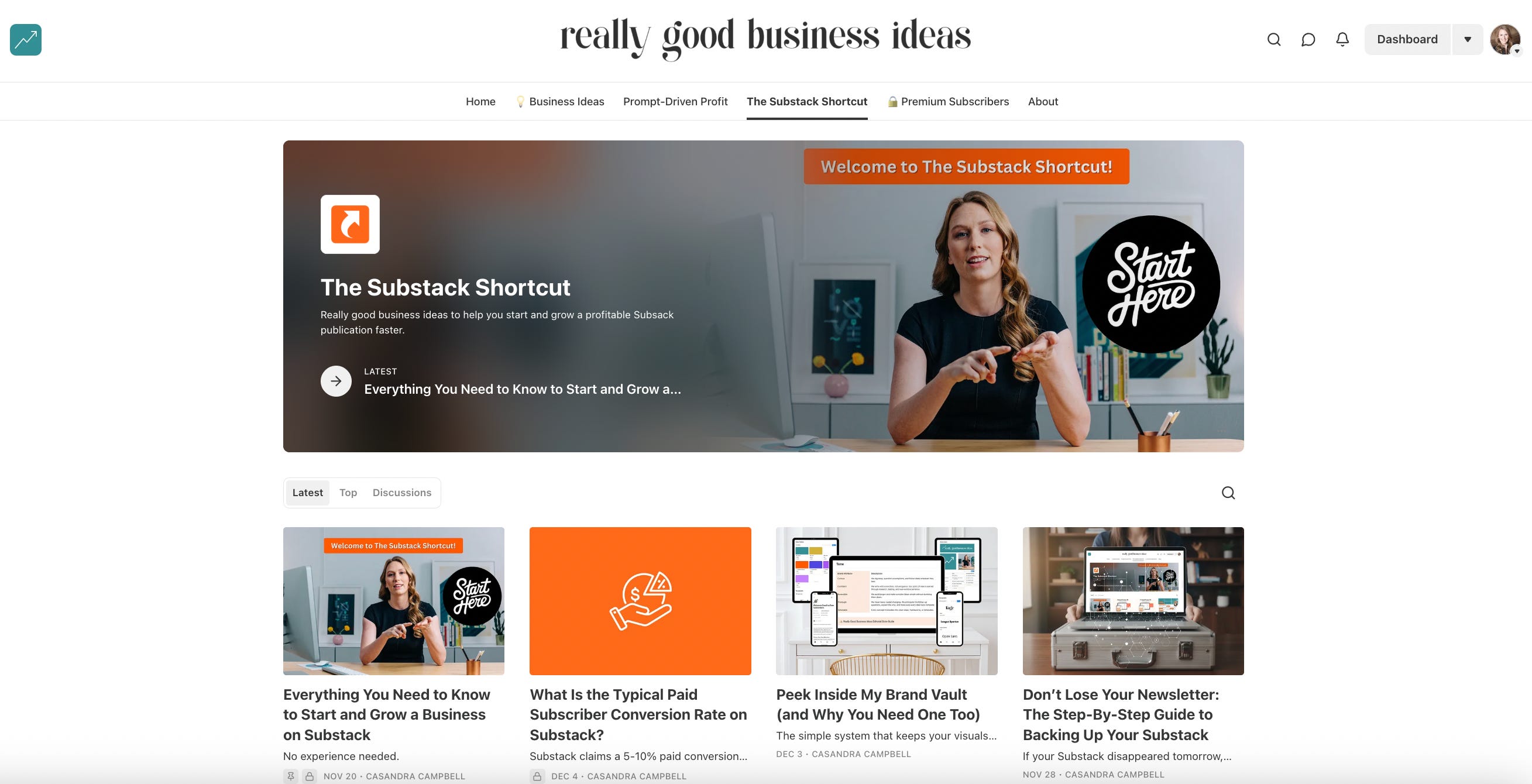
Right now, I have two different layouts in use for my sections. The Substack Shortcut, which has been around longer and has more content, uses the grid layout with a featured article where I have pinned a table of contents post that helps readers navigate the section archive.
Building With AI and Businesses to Start don’t have as much content or a table of contents post, so they use the list layout.
How to Segment Your Subscribers By Section
Once you’ve been using sections for a while, they start to automatically segment your audience by interest. You can filter your subscribers by section to better understand your audience’s interests and do more targeted email marketing.
Learn more about how to filter and email your subscribers by section in the guide below.

Sections also pair well with Substack’s saved segments. Section is one of the filter types you can build a segment with, so you can combine it with other filters and save the result, like readers of a specific section who have opened an email in the last 30 days. Saved segments update automatically as subscribers join or leave a section.
Segments and sections sound similar, but they solve different problems, and the two work well together. I break down the difference, along with how to email a segment directly in this article.

Sections are a way to expand what you publish without splitting your audience or your subscription.
Before starting a new newsletter, ask whether the content truly needs a separate brand, inbox, and payment, or whether a section would give readers the choice they need with far less friction.
Start simple and add sections only when they improve clarity for the reader. You can always turn a successful section into its own publication later, but it’s much harder to merge two separate things back together.
Good structure should make your Substack easier to understand, easier to manage, and easier to grow.
To endless possibilities,
Casandra
P.S. If you’re thinking more intentionally about your publication’s structure, the Substack Creator OS is where I keep all of this organized in one place. The content calendar makes it easy to plan by section, and connects your publishing schedule directly to growth tactics (like keyword research and promotion) and monetization strategies (like products and sponsorships).
Right now, the Substack Creator OS is free for annual Really Good Business Ideas Premium subscribers, so sign up today to get your copy.

Thank you for THIS!
This is perfect!! I created two additional Substack publications to cover two topics that I didn’t necessarily want to be folded into my main publication. I have done NOTHING with the publications, because I have been overwhelmed with getting started, particularly with the emails. I’ve been paralyzed.
But now that I found out about “sections”, well, that sounds like exactly what I need! Thank you!