


A lot of people start the year with the same goal: travel more. ✈️🌴🌉
And for many people, that means taking time off work for vacation. To be clear, I’m a huge proponent of taking time off, whether you choose to travel during it or not.
But there’s another version of this goal that doesn’t get talked about as much: spending longer stretches of time somewhere else. Not just passing through for a week, but settling in long enough to keep a routine, stay connected to work, and still feel present in a new place. It’s called a workcation.
For many people, workcations are one of the real promises of remote work and entrepreneurship: the ability to design your life with more flexibility, not just squeeze travel into a few fixed windows each year.
Longer trips also tend to be more economical than people expect. Extended stays often come with discounts, and when you spread the cost of a flight over more days, the per-day cost of travel drops quickly.

But if you’ve never tried working while traveling before, it’s easy to underestimate how many small hurdles show up. Power, connectivity, time zones, and where you’ll actually sit and focus for a few hours a day—none of this is hard on its own, but together it can make working while traveling feel stressful rather than freeing.
I do a lot of workcations (I just wrapped up a month working from Costa Rica and even launched this publication there in 2024!), and over time, I’ve learned that traveling more isn’t about working harder or being more flexible. It’s about planning for the boring, practical details ahead of time.
These are the choices and productivity habits that make it possible for me to stay get shit done from anywhere, without the scramble.
Table of Contents
What Is a Workcation?
A workcation isn’t a vacation where you occasionally check email. And it’s not trying to maintain your full, normal workload from a hotel room either.
At its best, a workcation is about changing location without abandoning routine.
It usually means:
Staying somewhere longer than a typical trip.
Working part of the day, not all of it.
Designing your setup so work fits cleanly into the experience instead of competing with it.
The goal isn’t to blur work and rest together. It’s to create enough structure that you can stay productive and still be present in a new place.
That distinction matters because most workcation frustration comes from mismatched expectations, either expecting a vacation while still working full-time or expecting full productivity in a context that doesn’t support it.
Workcation Benefits
When done intentionally, workcations offer benefits that short trips and traditional vacations often don’t.
More Time, Less Rush: Staying longer removes the pressure to see everything. You can settle into a rhythm, revisit places you enjoy, and experience a location more like a resident than a tourist.
Better Value Per Trip: Longer stays often unlock discounted accommodation rates, and spreading flight costs across more days lowers the per-day cost of travel. In practice, this can make frequent travel more accessible, not less.
A More Sustainable Way to Travel: Staying in one place longer reduces the need for constant flights and short-term moves. It’s easier on your energy, simpler logistically, and often a lower-impact way to travel overall.
Space for Focused Work: Many people find they do better deep work on a workcation. With fewer meetings, better boundaries, and a deliberately lighter workload, focus becomes easier, not harder.
One of the Real Upsides of Remote Work: For people with flexible or location-independent work, this is one of the most meaningful benefits: the ability to stay longer when a place is working for you, instead of compressing travel into a handful of rushed days.
Of course, none of this works without some planning. That’s why I’m sharing all the practical details that make a workcation a success based on my own experience doing this for the past 10 years.
Making Sure You Can Get Online Reliably
If working while traveling falls apart, it usually starts here. Power and internet are the kind of things you assume will be fine, until they aren’t. And once they’re not, everything else gets harder very quickly. Over time, I’ve learned to treat power and connectivity as non-negotiables, not nice-to-haves.
How I Confirm the Wi-Fi Situation Before Booking
If you live in a big North American city like I do, it’s easy to forget that not everywhere is as connected. I’ve been burned by slow or inconsistent internet access before, so now I always do my due diligence on this if I’m planning to work while traveling.
1. Scrutinize the Wi-Fi Info for Your Accommodations
Don’t just assume fast wifi will be available. Make sure to read the details and confirm that the available setup will work for you.
In Costa Rica, where internet outages are common, many Airbnb hosts use two internet providers so that when one goes down, the other serves as a backup. Power outages are also frequent, and my most recent host had the modems connected to a battery that kept them running for about an hour during outages. I’ve also seen listings that share screenshots from fast.com to show real-world Internet speeds.
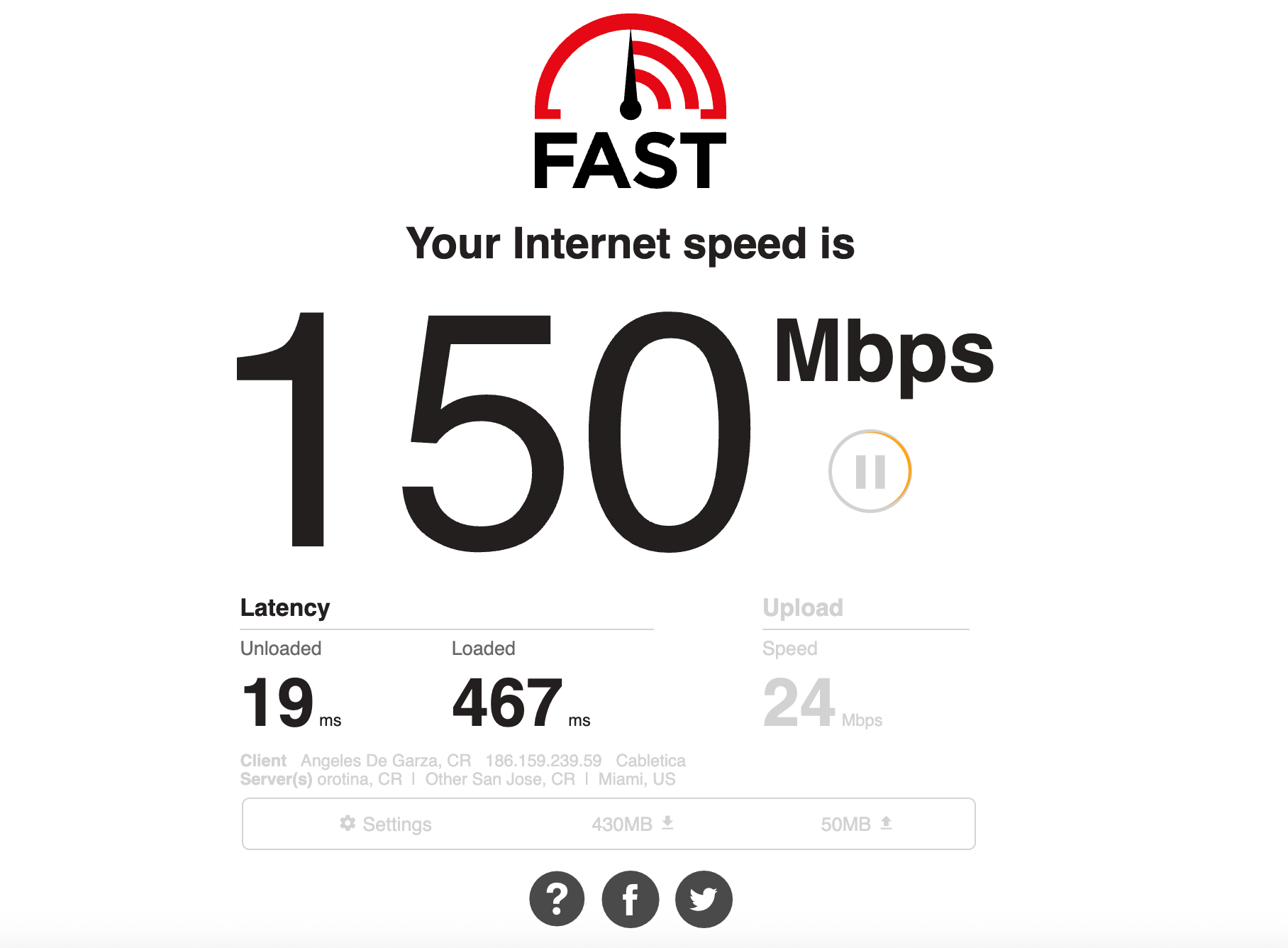
If there’s no info about the wifi available, it’s always a good idea to just ask before booking.
What speeds do you typically get?
Is the connection stable during the day?
Has anyone worked remotely from here before?
2. Verify the Wi-Fi Situation With Reviews
When a place has poor connectivity, it often comes up in reviews. Make sure to read the reviews for your accommodations before booking and search for terms like “internet” and “wifi” to see how reliable other guests found it.
Bonus: Mention the Wi-Fi quality in your own review afterward to help the next guests.
3. Check the Situation in Local Facebook Groups
Most communities, no matter how small, have local Facebook groups where people share information. These can be a great place to find out what the typical Wi-Fi and power situation is like and whether there are any common hurdles you should be aware of. Simply search the Facebook group for mentions of working remotely or ask what it’s like to work remotely in that location and how reliable the power and internet are.
4. Make a Backup Plan in Case of Issues
Identify cafes, coworking spaces, or other locations where you can work if you are not able to work in your accommodations for any reason. Knowing your options ahead of time makes it much easier to act quickly when an issue arises, reducing stress and lost productivity. For example, there are several coworking spaces in the town I visit in Costa Rica that I know I can drop into if I’m in a crunch.
5. Consider a Mobile Phone Backup Option
With the right plan, your mobile phone can also serve as a backup option, since you can create a mobile hotspot that your computer can connect to.

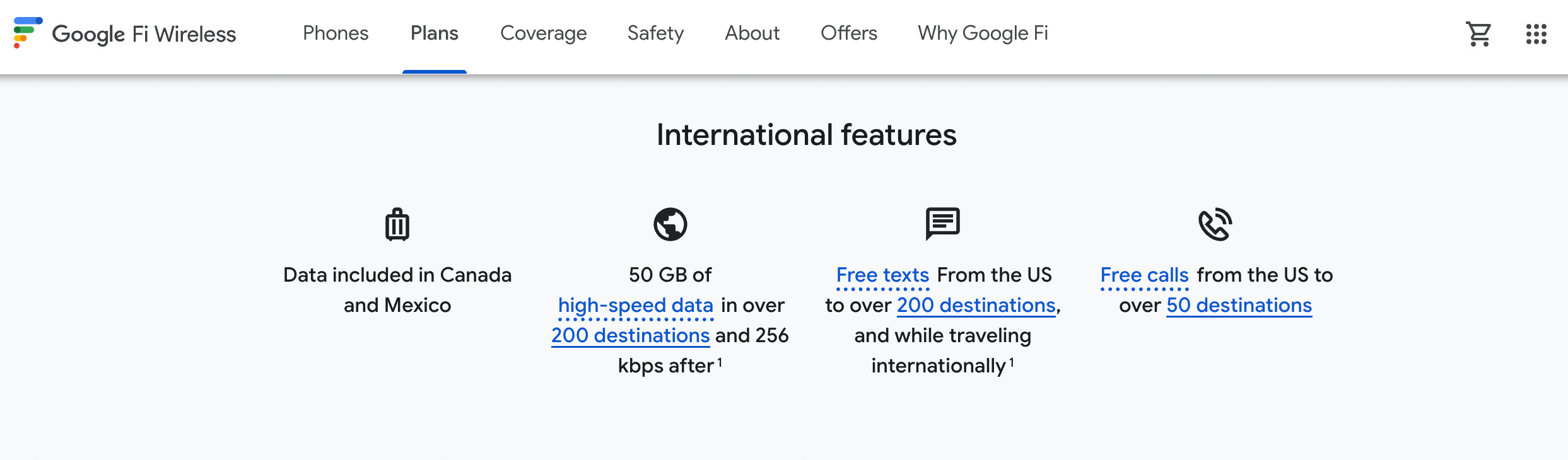
I highly recommend Google Fi Unlimited Premium for anyone who travels a lot. For only $65 a month, you get unlimited everything in 170+ countries. As long as there is a decent mobile network available, you’ll always have a way to connect.
What to Pack to Make Sure You Stay Online
There are several things you should consider packing if you need to work remotely while you’re away.
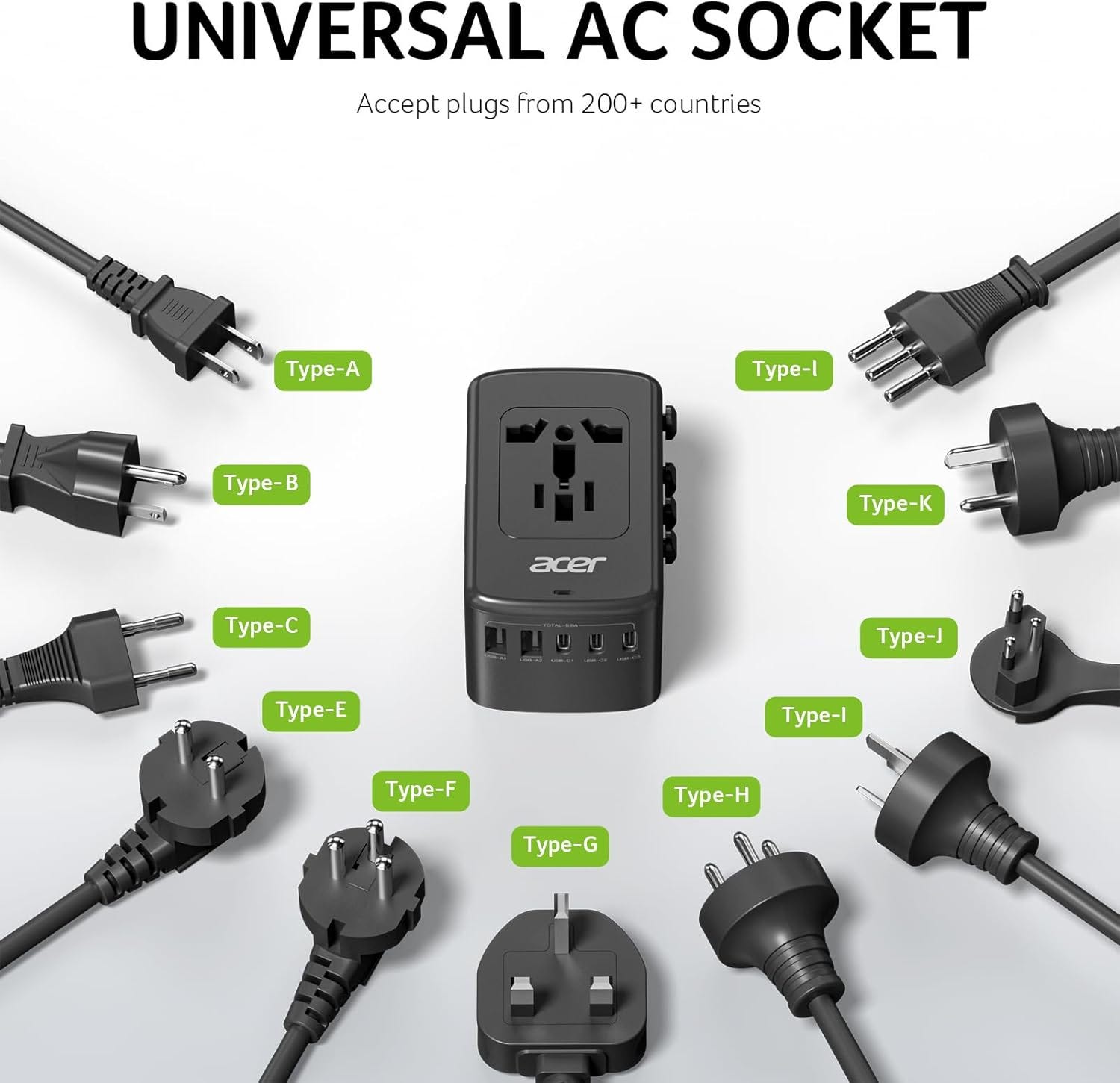
1. Universal Outlet Adapter
The places we travel to don’t always use the same outlets as we do at home. Make sure you have a couple of good universal outlet adapters ready to go for trips to regions with different outlets.
2. Laptop Power Bank
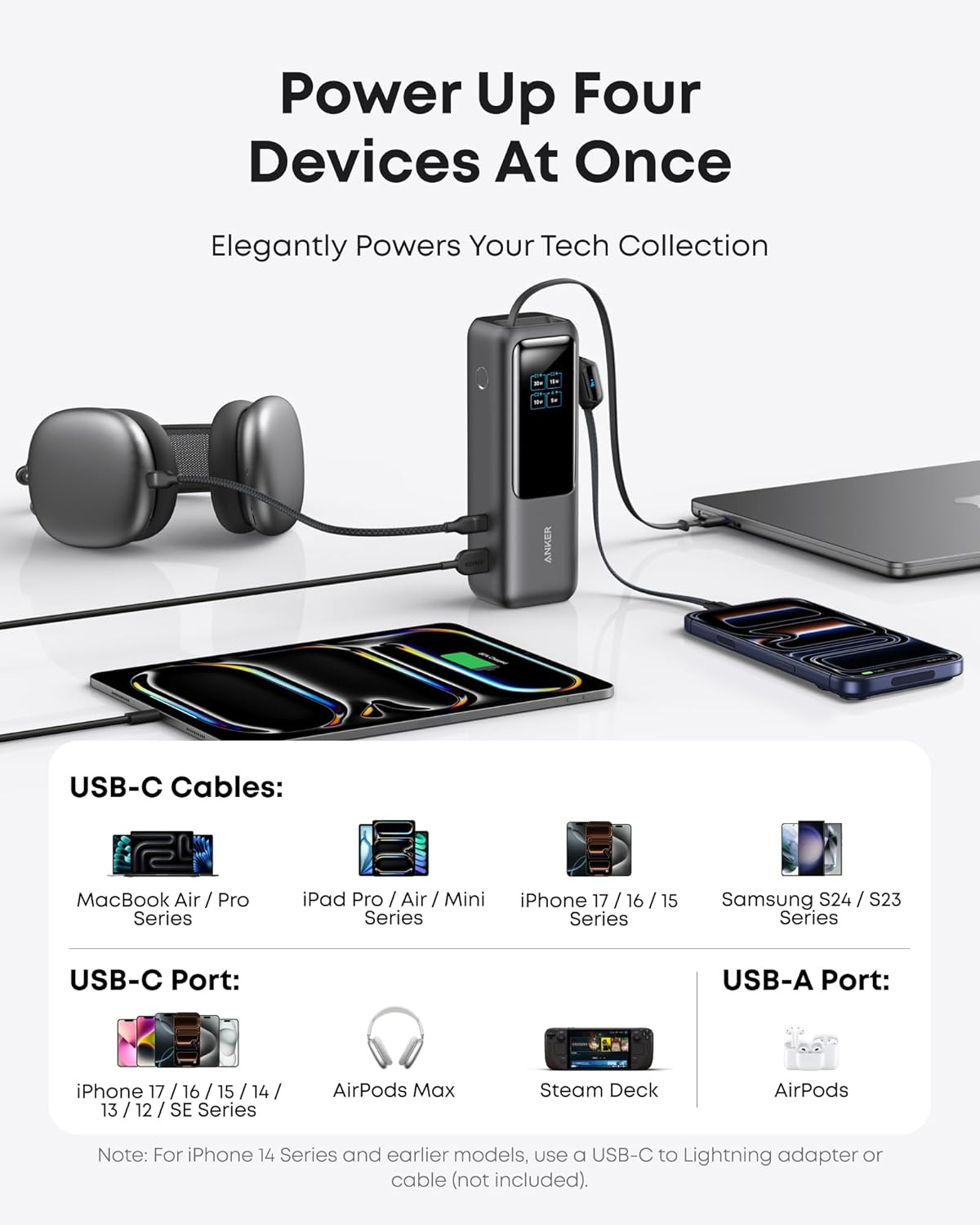
A laptop power bank is a lifesaver for flexibility. Can’t find an outlet in the airport? Are all the outlets in the coffee shop taken? Is the power out at your Airbnb? None of these are problems if you have a charged-up power bank. These are bigger and more powerful than the type you’ve probably used with your phone since they’re designed to charge a computer.
3. Extra Charging Cables
If you’re traveling somewhere fairly remote, it’s a good idea to bring backup charging cables for your laptop and phone in case yours get lost or break, since they may be hard to find or expensive to replace where you’re staying.
4. Extension Cord
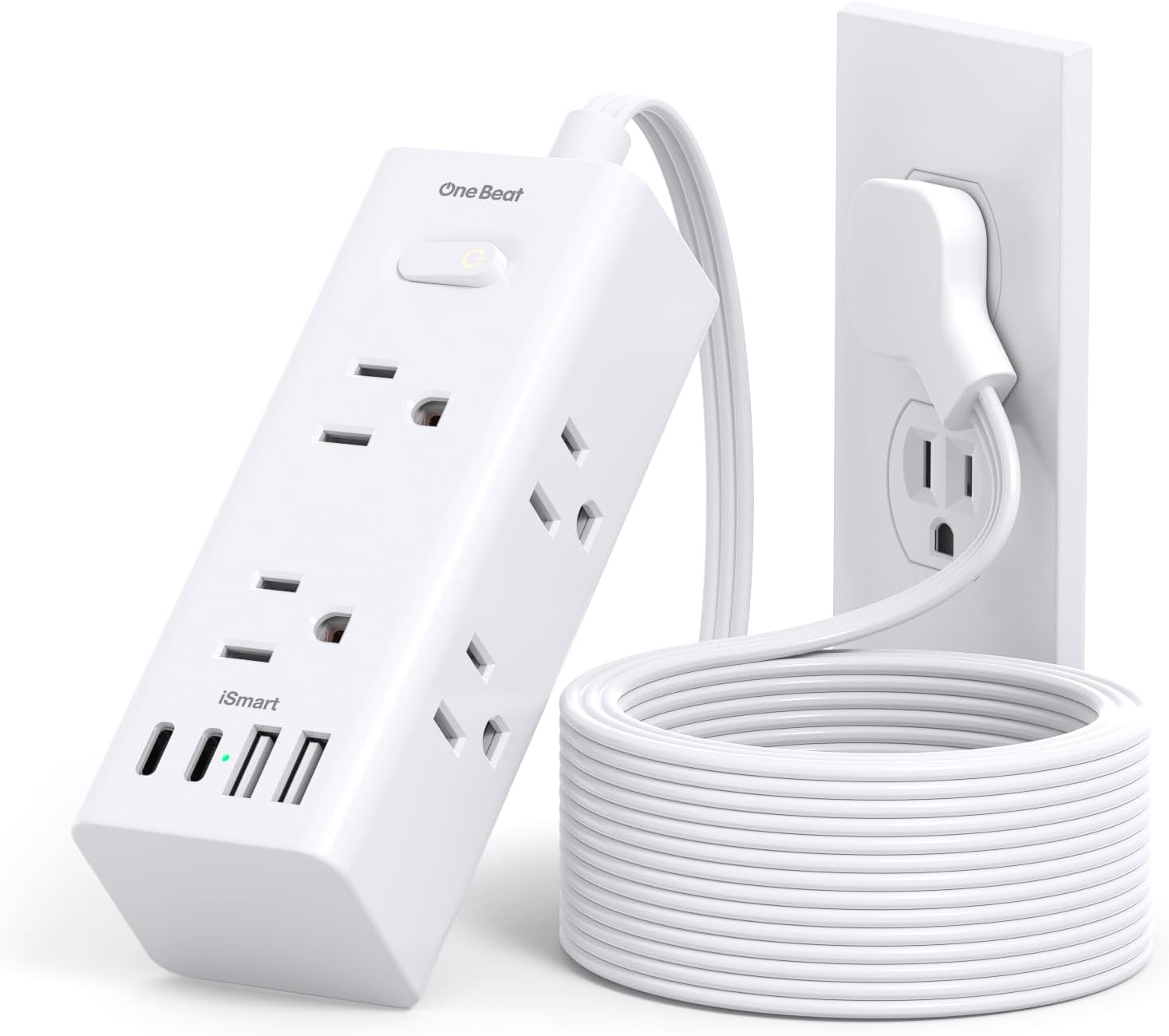
A basic extension cord can add convenience and flexibility, especially if you’re planning to work in a lot of different locations, since they can give you a greater range from available outlets. I recommend one with surge protection, so you’re less vulnerable to damage from power outages, too.
5. Wi-Fi Extender
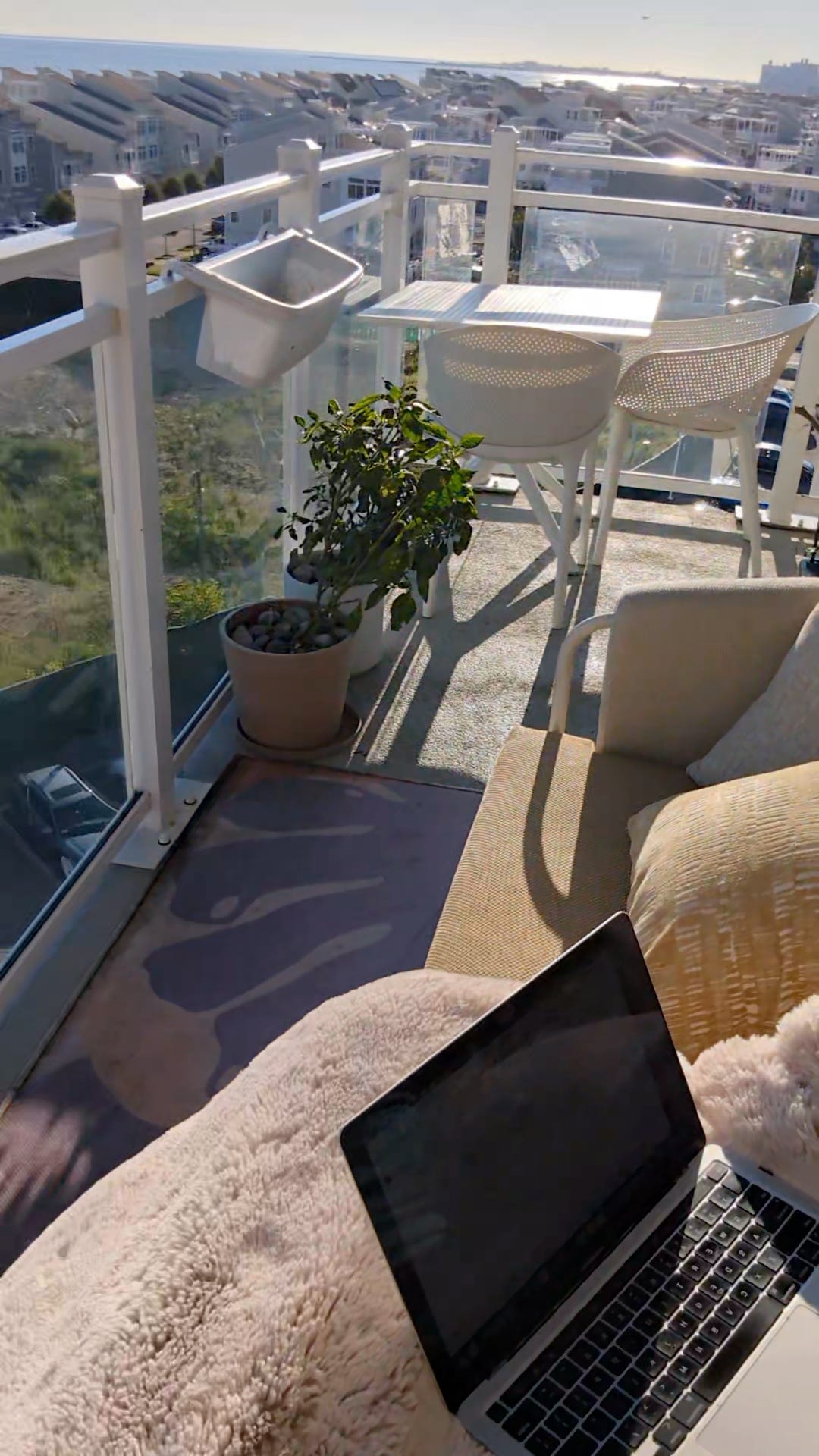
A Wi-Fi extender is a simple tool that you can connect to a Wi-Fi network to extend or amplify its range. Bringing one along can help you deal with limited coverage by expanding the range of a Wi-Fi network you’re connecting to. I even have one at home to extend my Wi-Fi network to my balcony, where I like to work in summer!
6. Ethernet Adapter
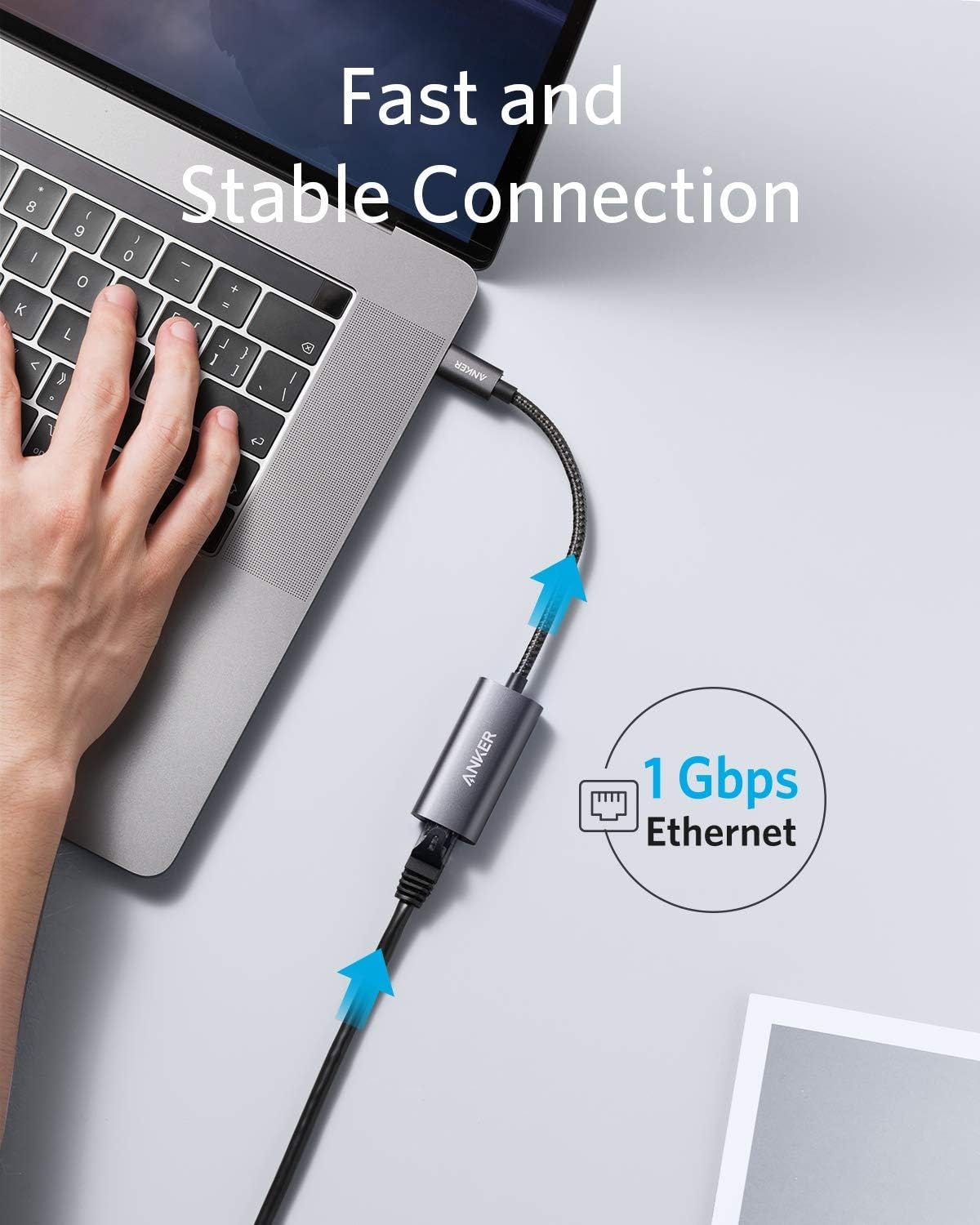
If you’re staying in a home (rather than a hotel room) and have access to the modem, plugging directly into it is often the best option when the power is out or the Wi-Fi router isn’t working. Since most laptops don’t have an Ethernet port these days, bringing an adapter will allow you to use the Ethernet cable.
7. Portable Hot Spot
Finally, if you’re travelling somewhere pretty remote and you’re not sure about reliable internet access, you can sign up for a portable hotspot plan. Hotspots that use local cellular networks, like Solis, will be constrained by network quality, while those that use satellites, like Starlink Roam, will be constrained by access to clear skies, so the best option depends on where you’re travelling.
It does take some advance planning, but once you have power and an internet plan locked in, everything else becomes much easier to manage!
Setting Yourself Up For Focus
Being able to work is one thing. Being able to focus is another. This section is about the small choices that make it easier to settle in and actually get meaningful work done while you’re traveling.
Making Sure You Have a Suitable Workspace
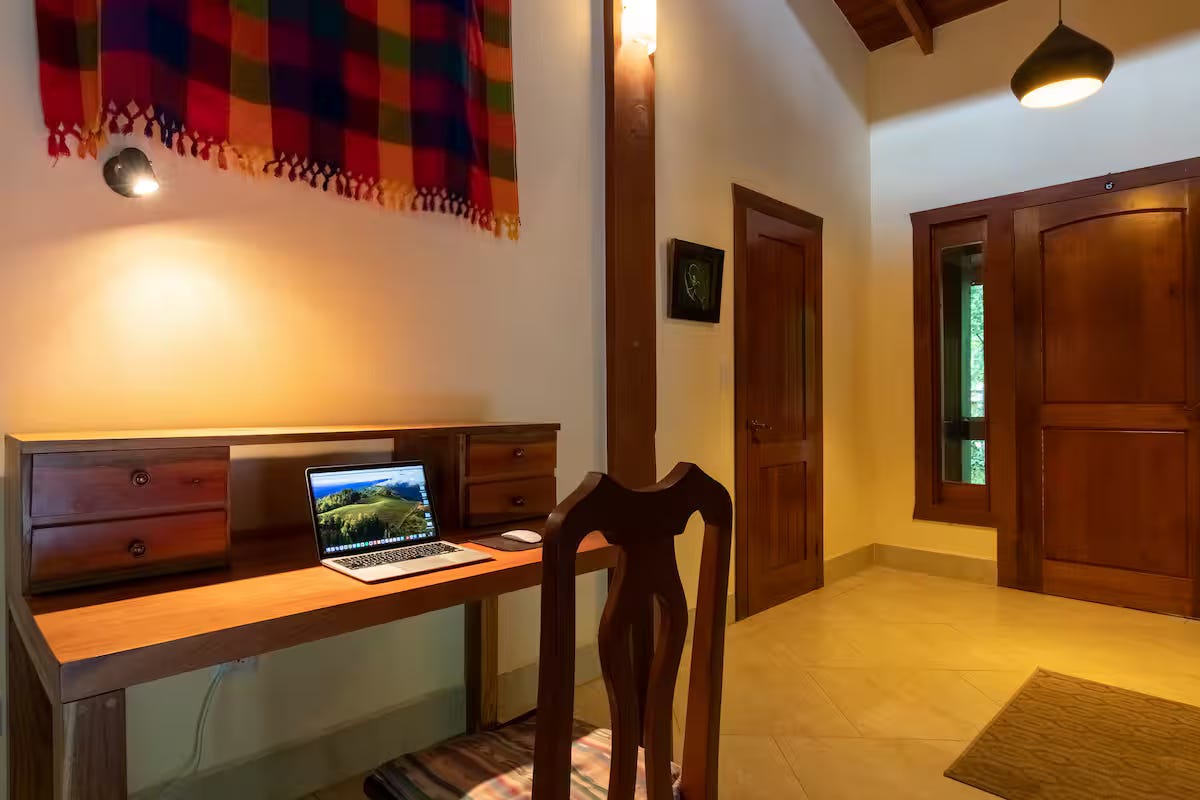
In addition to the power and Wi-Fi situation at your accommodations, you should also confirm there will be a suitable place to work. Whether that’s a traditional desk, a dining table, or even a cozy couch, make sure there's a spot where you can envision yourself being physically comfortable and able to get into focus mode for whatever type of work you need to do.
Personally, I don’t get much done when I try to work at the pool. I would much rather have a space where I can’t actually focus, so I can finish my work and move to actually enjoying my time by the pool. The key is to know what a suitable workspace means for you.
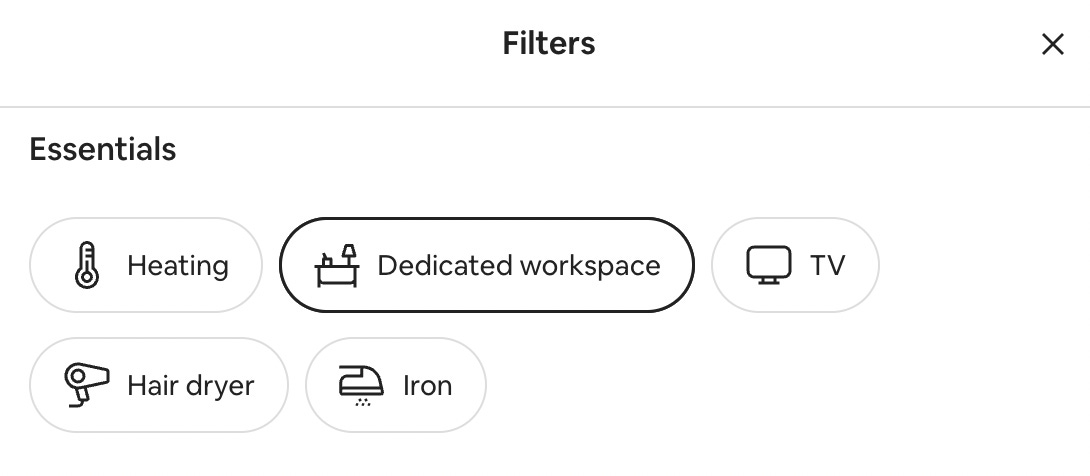
If you’re booking on Airbnb, you can filter for accommodations with a dedicated workspace available, but make sure you still check the photos, as this is self-reported by the host.
When you’re assessing a workspace in an accommodation, consider:
A place to put your laptop at a comfortable height, like a desk or dining table.
Chair quality (surprisingly important after a couple of days).
Lighting, temperature control, and power access near the workspace.
Backup work location nearby (library, café, coworking space).
For example, some Airbnbs in Costa Rica only provide AC in the bedrooms. This would make it very hard to focus while working at the dining table when the temperature typically goes above 30°C/86°F in the middle of the afternoon.
Packing Productivity Essentials
Finally, remember to pack the essentials that will help you work effectively and stay focused. For me, this usually includes two things (in addition to my laptop):
Good headphones. My work involves video calls, so I need to be able to cancel background noise, and I always want to make sure my audio is decent for the people I’m meeting with.
A notebook and a pencil. Sometimes I just need to write with a pencil and paper to work through my thoughts, and when those occasions hit, I find it very frustrating to be without.
Depending on how you prefer to work, your list may be different. Here are a few examples to consider:
Wireless Mouse: A wireless mouse is a small, easy way to keep your setup more comfortable from anywhere, especially if you have wrist issues or use a specialized mouse. Don’t forget the mousepad!
Laptop Stand: A laptop stand can help bring your laptop screen to a more comfortable height. It may also look better on video calls.
Wireless Keyword: If you’re using a laptop stand and typing a lot, you may want to consider a wireless keyboard as well.
Portable Standing Desk Converter: There are foldable devices you can pack to turn any table or desk into a standing desk.
Quality Microphone: This is typically important for podcasters or other content creators recording episodes on the road.
Tips for Removing Mental Friction
Beyond the physical setup, a big part of staying productive on the road is removing mental friction.
When you’re traveling, even small decisions (What do I need today? Where do I work? When do I start?) add up quickly. The goal isn’t to eliminate all friction, but to avoid re-solving the same problems over and over again.
Keep Your Essentials Pre-Packed
If you travel often, one of the biggest upgrades you can make is keeping duplicates of your work essentials permanently packed.
That might include:
Chargers and adapters.
Headphones.
A mouse or keyboard.
Anything else you reach for every workday.
By keeping these items in a dedicated pouch, you reduce both packing time and the mental load of remembering what you need. You also avoid the constant unpack–repack cycle that makes travel feel more disruptive than it needs to be.
Personally, I keep an “electronics case” in my suitcase with all the chargers, cables, and batteries I might need while traveling. And not just for work. This also includes things like a charging cable for my Garmin watch and a battery to charge my Whoop wristband. This way, I never have to worry about forgetting something.
Build a Digital Workspace That Travels With You
I also try to keep my digital workspace as organized and consistent as possible, so it’s accessible and ready to go no matter where I am.
For example, I run my publication using the Substack Creator OS Notion workspace. This is something I can access from any device that stays consistent no matter where I am, so my workflow doesn’t get disrupted at all.
When your digital environment stays familiar, your brain doesn’t have to adjust every time your physical environment changes. You can just sit down, open your laptop, and you’re already oriented.
Use a Simple Ritual to Start Your Workday
When you’re not in your usual routine, a small ritual can do a lot of heavy lifting. It doesn’t need to be elaborate, just something that helps you lock in by signalling to your brain it's time to get to work.
That might mean:
Making a nice cup of coffee.
Writing down your priorities for the day.
Putting on the same playlist or background noise.
Over time, this becomes a cue to your brain that it’s time to focus, regardless of where you are.
Manage Expectations With Travel Partners
This one is easy to overlook but extremely important. If you’re traveling with others, be explicit and agree on when you’ll be working and when you’ll be fully off. A quick conversation upfront avoids awkwardness later and makes it easier to be present when you’re not working.
Clear expectations create space for both good work and good travel, instead of feeling like you’re doing both halfway.
Organizing Your Calendar
When you’re working while traveling, your calendar does more than track meetings: it protects your time, your energy, and your ability to enjoy where you are. Without some intentional structure, it’s easy for days to blur together, meetings to creep into odd hours, and work to slowly expand into everything else.
Here’s how I organize my calendar when I’m on the road.
Add a Second Time Zone
In the weeks leading up to my trip, I add the local time in my new location as a second time zone to my calendar. This makes it easier to schedule things ahead of time in my upcoming time zone.
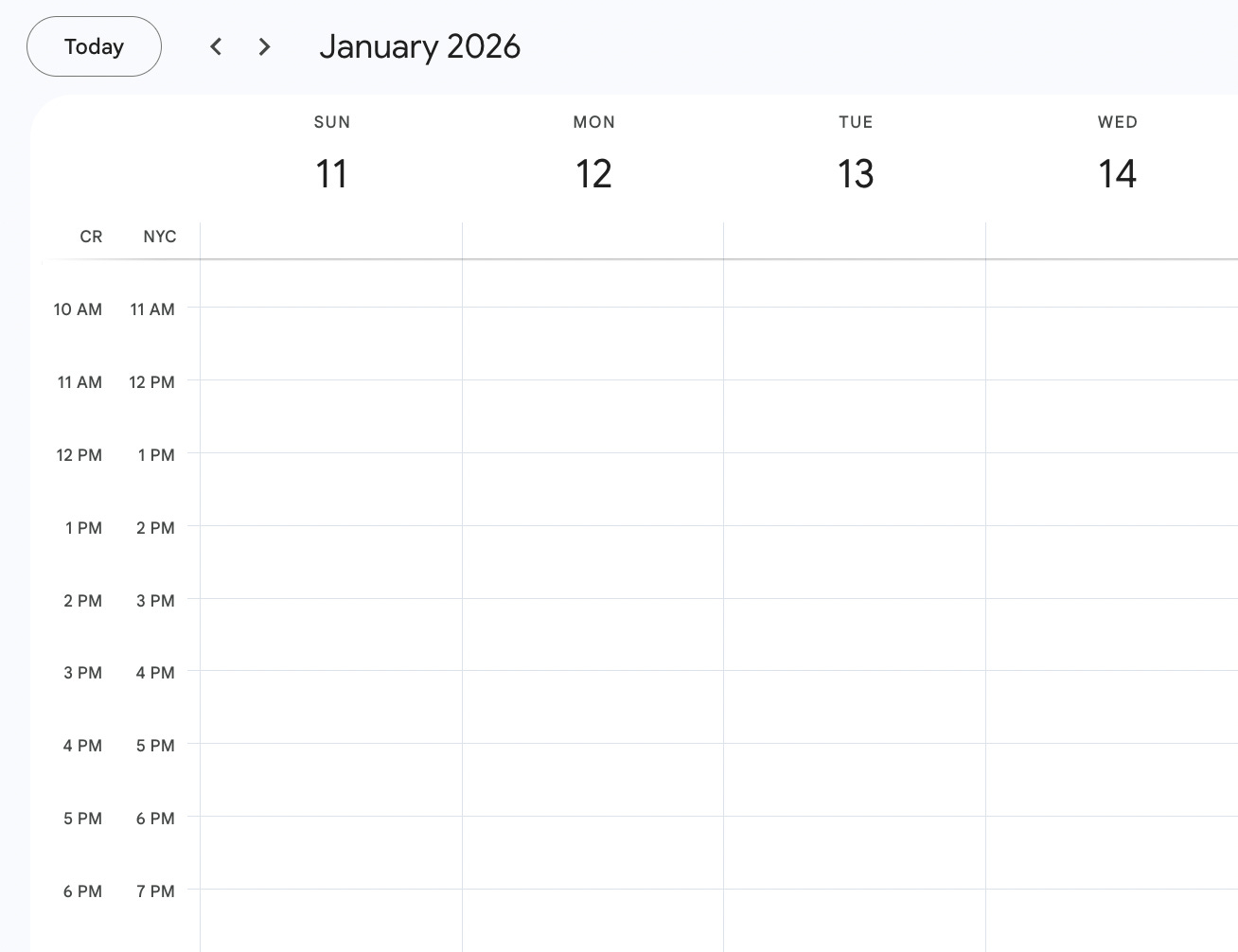
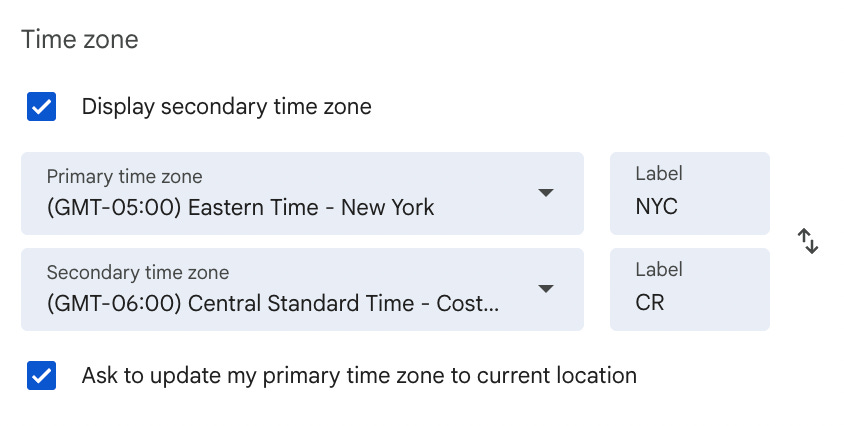
Then, while I’m there, I keep my home time zone available so scheduling things for when I’m back is easier.
To add a second time zone in Google Calendar, go to “Settings”, “Time zone”, select “Display secondary time zone”, and choose the one you need from the drop-down.
Block Time Intentionally
I’m more deliberate about time blocking when I’m traveling than when I’m at home.
That might include:
Protected work blocks for deep focus.
Clear stop times so work doesn’t spill into leisure time.
Buffers around meetings to account for slower transitions or bad connectivity.
Time blocks aren’t about packing your day; they’re about giving each part of it a boundary so you can be more productive when you need to be while still enjoying your time away.
Choose What to Protect
Depending on where you’re traveling and what time zone you’re in, choose what parts of the day are important to keep work-free.
For example, I have a rule in Costa Rica to never miss a sunset. The sunsets are stunning, and I use that time to go for a walk and let my body start to wind down. This means I never work for about two hours between 4:30–7:30pm there (depending on the time of year and when the sunset is).
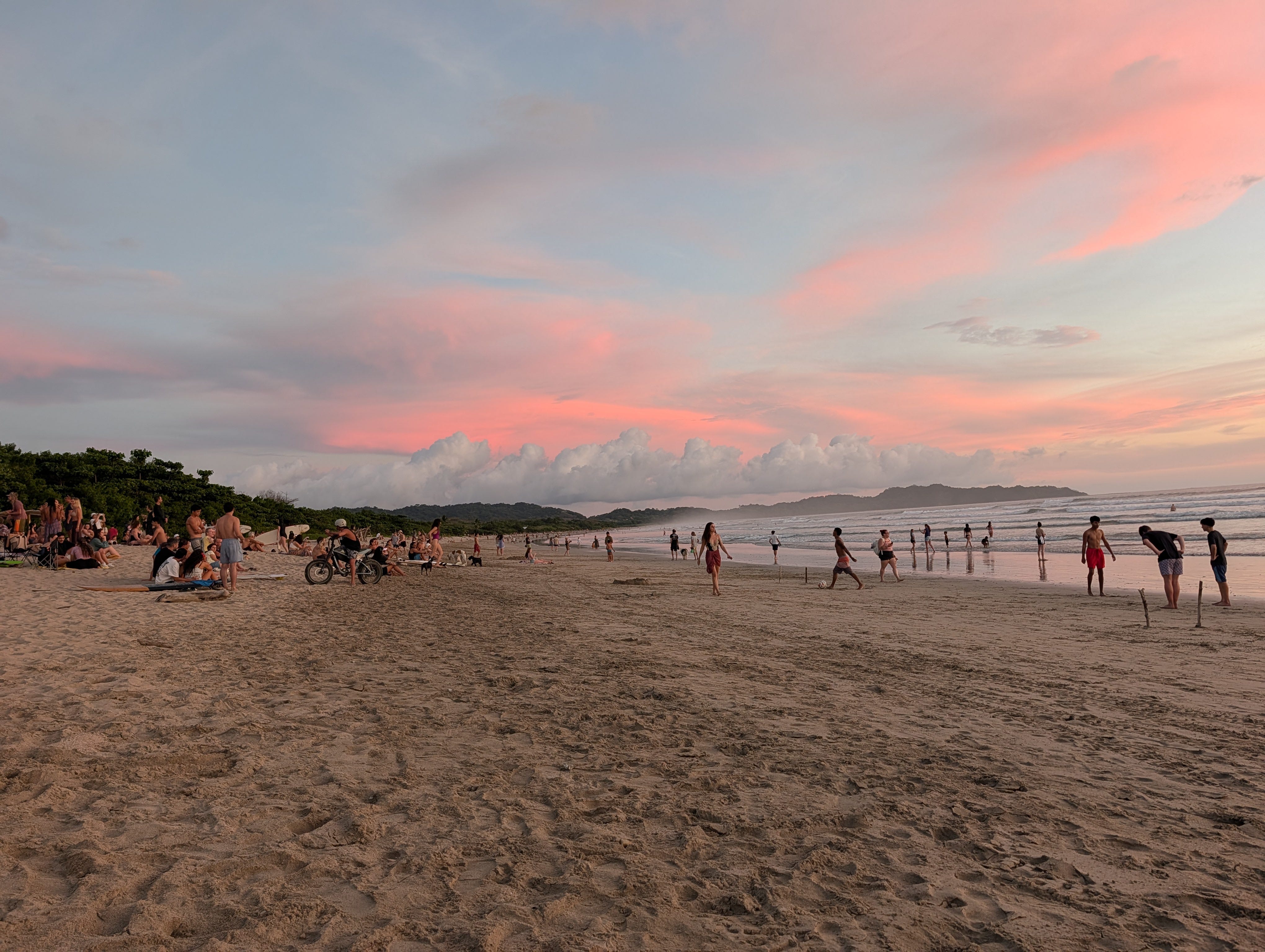
Since the best time to surf is usually in the morning, I typically block out several hours in the morning, too. This means most of my work happens in the middle of the day and evening hours.

Plan Time Off
Even on trips where I’m working remotely, I typically still plan extra days off to fully enjoy my new location, especially around arrival and departure.
Travel days and arrival days are not normal workdays, and treating them like they are is a fast way to burn out. I typically plan lighter or no work on:
Arrival and departure days.
The first full day in a new place.
The day before moving locations.
Days when I plan to go exploring or attend local events.
This gives me space to adjust without feeling behind from the start.
Make Your Availability Explicit
When I’m traveling, I’m more proactive about communicating availability. That might mean:
Sharing limited meeting windows.
Declining meetings that fall outside them.
Letting people know upfront when I’m working from a different time zone.
Clear expectations reduce back-and-forth and protect your time without constant negotiation.
I also get ahead of any issues by updating my availability on cal.com (the tool I use for people to book meetings with me). I typically make these changes several weeks before I travel, so no one accidentally books time with me when I won’t be available.

Designing Your Workload
When working while traveling, be intentional about what you work on and what you don’t. Don’t expect to maintain your normal pace. Designing your workload ahead of time prevents travel from turning into constant tension between work and being present.
Focus on Work That Travels Well
Not all work is equally suited to travel. When I’m on the road, I prioritize work that:
Can be done asynchronously.
Benefits from longer, uninterrupted focus.
Doesn’t require perfect timing or rapid back-and-forth.
Writing, planning, building, research, analysis, and strategy tend to travel well. Work that relies heavily on real-time collaboration or quick responses often doesn’t, and that’s okay.
Be Clear About What You’re Pausing
Just as important as choosing what to work on is choosing what to pause. Before a longer trip, I’m explicit about:
Projects that can wait.
Decisions that don’t need to be made immediately.
Work that’s better handled when I’m back in my usual setup.
Giving yourself permission to pause certain work removes a lot of background stress. It can also create a lot of space for you to move other projects forward with greater focus.
Set a Lighter Baseline
I assume I’ll get slightly less done while traveling, and I plan for that. That means:
Fewer daily commitments.
More generous timelines.
A definition of “enough” that leaves room for the experience of being somewhere new.
Paradoxically, I find that this often leads to better work, not worse. When the bar is realistic, it’s easier to stay focused and present.
Protect the Point of the Trip
If your goal is to travel more and experience different places without everything else falling apart, then work should support that goal, not crowd it out.
Be sure to design your workload so travel still feels like travel rather than just working in a different location.
Traveling more isn’t about being endlessly flexible or working from anywhere on a whim. It’s about putting a little thought into the systems that support you. When the boring details are handled, everything else gets easier, including enjoying where you are.
To endless possibilities and many fun adventures ahead,
Casandra
💬 If you already like to go on extended trips where you work remotely, what are your top tips for making sure you stay on track?
💬 If you’re thinking about trying to work remotely while traveling for the first time, where do you want to go?
This has so much solid, practical advice - thanks! I have to echo your "never miss a sunset in Costa Rica" rule. I was there for a month in 2023 and did the same thing... STUNNING sunsets every single day. It was magic.
This is so helpful, thank you! I am about to set off on long term travel with the intention of working as I go. This article helped in so many ways! I want to see the world AND continue to build and create all the things I'm building and creating. Thank you for the practical advice, the wisdom, and the care put into this. I will be reading more of your posts!