


🔒 Premium Members: Scroll to the bottom to access the Instagram optimization checklist, and an Instagram content optimizer Claude skill.
Most of the hashtag advice on the internet describes an Instagram that no longer exists.
Hashtag tools still sell competition scores and reach estimates. Growth gurus still promise that the right tags will put your post in front of thousands of strangers. Meanwhile, Instagram caps hashtags at five per post, removed the ability to follow them, and the head of Instagram has said plainly that hashtags don’t increase reach.
Hashtags still do one useful thing: They tell Instagram what your content is about. Everything else they were supposed to do is gone, so you can stop spending hours on hashtag research. The rest of this guide covers what hashtags still do, the mistakes to watch out for, and where reach comes from instead.
Table of Contents
Claude Instagram Content Optimizer Skill
Instagram Algorithm Content Optimization Checklist
What Are Instagram Hashtags?
A hashtag is a single word or phrase preceded by a # that gets included in the caption of a post or reel.
This is a hashtag: #hashtag. So is this: #alsoahashtag.

What Do Hashtags Do on Instagram Now?
Hashtags help Instagram categorize your content. They tell the algorithm what your post is about so it can show your content in search results and match it to the topics users have chosen to see. Hashtags no longer amplify your reach.
Hashtags can still be searched. For example, when I’m refreshing my balcony for the summer, I search #balconydecor and look at the top photos for ideas. Search is where hashtags retain some usefulness: Instagram matches what people type against captions, hashtags, bios, and places when it ranks search results.1
Categorization also feeds recommendations. Instagram’s Your Algorithm feature lets users pick the topics shaping their Feed, Reels, and Explore, and your content can only match a topic a user has chosen if Instagram can tell what your content is about.2 Relevant hashtags are one signal that makes your topic legible.
Do Hashtags Increase Reach on Instagram?
No. Adam Mosseri, head of Instagram, has said directly that hashtags don’t increase reach, and he has been saying versions of the same thing since 2022.3
Hashtags help Instagram understand what a post is about, but understanding is where their influence ends.
The data agrees with him. A 2026 analysis of more than 24 million posts found posts with hashtags averaged 32% fewer views and 34% fewer interactions than posts without them.4 That gap is probably explained by the fact that smaller accounts lean on hashtags more, but even if they don’t hinder performance, they certainly don’t seem to help.
Hashtag research is still expensive, though. An hour comparing competition scores doesn’t drive reach, while the same hour spent perfecting your hook can dramatically change how far a post travels.
What Hashtag Features Has Instagram Removed?
Instagram has spent the past few years dismantling hashtags as a discovery channel.
In December 2024, Instagram removed the ability to follow a hashtag, which was the main way hashtagged posts landed in the feeds of people who didn’t follow the poster.5 The Recent tab on hashtag pages disappeared before that, so hashtag pages no longer reward fresh posts with a burst of visibility.
Then in December 2025, Instagram dropped the hashtag limit from 30 to five because it believed fewer, targeted hashtags improve both content performance and the experience of the people scrolling.6
Hashtag pages and hashtag search still exist: You can tap any hashtag and browse the top posts using it. What changed is the value of appearing there. With follows gone, landing on a hashtag page doesn’t place your post in anyone’s feed. The only people who see it are the few who go looking, so “ranking” for a hashtag no longer sends the same reach.
How Many Hashtags Should You Use on Instagram?
You can use up to five hashtags as long as they are relevant to your post. If a hashtag doesn’t describe what your post is about, it doesn’t belong in your five.
Irrelevant or generic hashtags can limit your reach. Instagram warns that tags like #reels or #explore don’t help your content appear anywhere and can drag down its performance. The same goes for aspirational tags like #viral, which don’t tell Instagram anything useful about your content.7
How to Choose Instagram Hashtags
Choose hashtags the way you’d label a folder: specific and accurate. #homewoodworking tells Instagram more about your content than #woodworking, and both beat #satisfying.
I used to recommend researching each hashtag’s competition and engagement to find ones you could rank for, and the original version of this article taught exactly that. It made sense when ranking on a hashtag page could put your post in front of thousands of people. But with hashtag follows gone and discovery driven by keywords, ranking on a hashtag page doesn’t drive a lot of reach. Today you just need hashtags that describe your post, and choosing them only takes a couple of minutes.
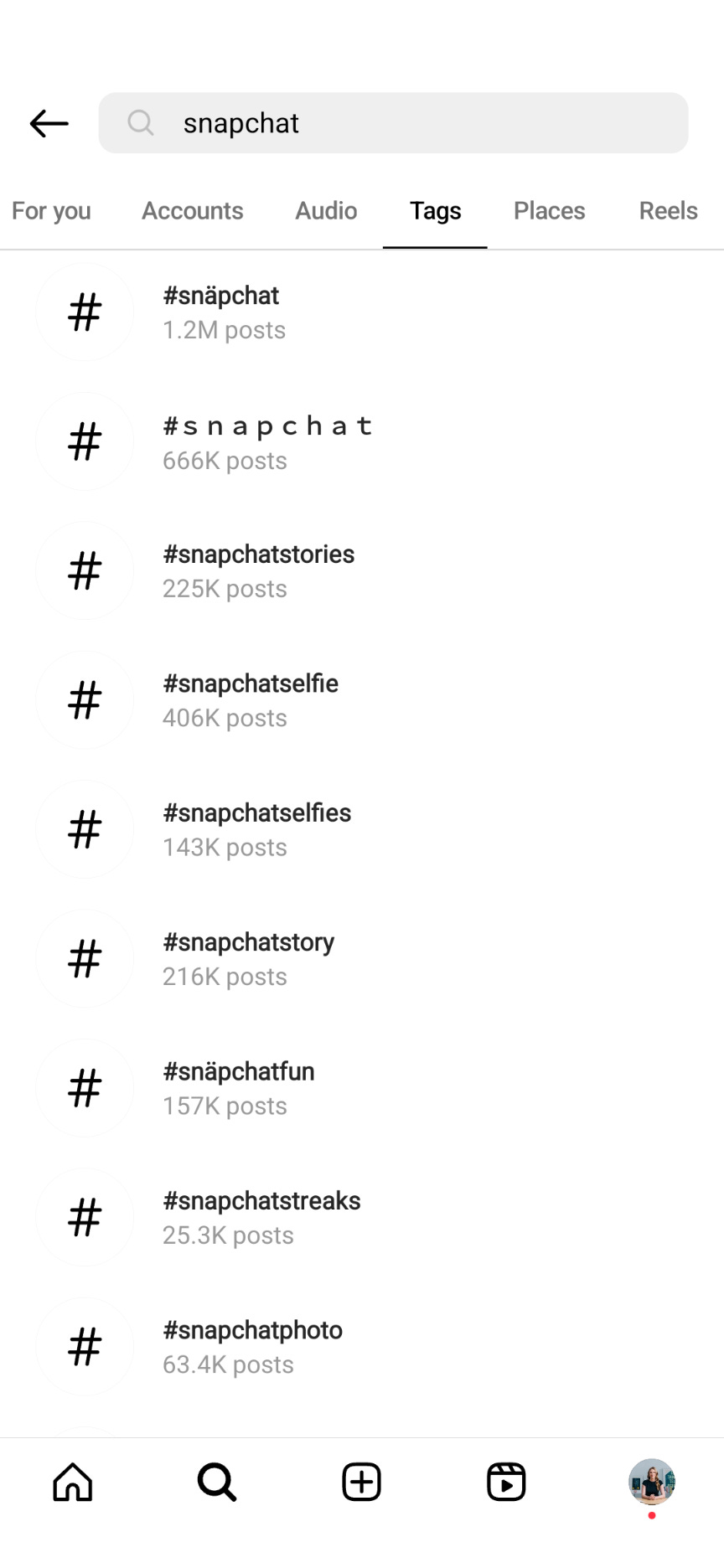
You do still need to check for banned hashtags. Instagram occasionally bans hashtags associated with too much spam, and posts under a restricted hashtag get hidden. Instagram doesn’t publish a list of banned hashtags, and the lists you’ll find on the internet go stale quickly, so the only reliable way to know is to check in the app. To check a hashtag, search it on Instagram. If Instagram returns no results for the hashtag and only suggests alternatives instead, it’s probably banned.
What Drives Reach on Instagram Instead of Hashtags?
Keywords and watch signals drive reach now. Instagram’s search ranks results by matching the words people type against captions, bios, and places, and its recommendation systems read your caption, your on-screen text, and the words you say out loud to figure out what your content is about.8
Adam Mosseri’s advice for showing up in search is to put keywords and hashtags in the caption, not the comments, and to use a handle, name, and bio that describe what you post. Writing captions with the phrases your audience would type is the closest thing Instagram has to SEO.
The other half of reach is how people respond once they see your content: watch time, likes, and sends. My guide to the Instagram algorithm covers all 20 recommendations for earning those signals.

Instagram Hashtag Do’s and Don’ts
Here’s a quick cheat sheet of do’s and don’ts to help you remember how to use hashtags effectively.
Do use hashtags.
Hashtags help Instagram categorize your content, which supports search results and topic matching. Skipping them leaves a (small) growth tool on the table.
Don’t expect hashtags to meaningfully grow your account.
Hashtags label your content, which indirectly helps growth, but meaningful reach comes from watch time, likes, sends, and keywords, so put your optimization effort there.
Do put hashtags in the caption, not the comments.
Instagram matches search queries against captions. Hashtags hidden in comments won't show up in search and won't help you grow.
Don’t put hashtags in your bio.
Bio hashtags are clickable links, but your profile doesn’t get added to the hashtag’s page, so they don’t make you easier to find. They also give profile visitors something to tap that takes them away from you. Fill your bio with keywords that describe what you post, because bio text is what Instagram’s search reads. The exception is a branded hashtag you want your own audience to use.
Do use up to five relevant hashtags.
Instagram still allows up to five hashtags per post. Using them helps you tell Instagram what your content is about so it can categorize it effectively.
Don’t use generic or aspirational hashtags.
Hashtags like #reels, #explore, and #viral don’t tell Instagram anything about your content and can even hurt its performance.
Do match your hashtags to each post.
Your five tags should describe the specific post, not your account in general. For example, a woodworking account’s shop-tour reel and finished-table photo need different tags.
Don’t use banned hashtags.
Instagram still restricts hashtags associated with spam and policy violations, and posts under a restricted hashtag get hidden. A banned tag can’t help you, so check before you post.
If Instagram doesn’t return any data for a hashtag and only suggests alternatives instead, it’s probably banned.
🔒 Premium Member Resources
Premium members get the tools to put this advice into practice: A Claude skill that checks your content and hashtags before you post, plus a pre-publish checklist.
Claude Instagram Content Optimizer Skill
The Instagram Content Optimizer checks any Instagram content before you post it, including your hashtags and whether your topic is clear enough for the algorithm to categorize. Send a rough idea, a caption, or a reel script and get back specific fixes for what would limit reach.
Instagram Algorithm Content Optimization Checklist
Use this checklist before posting to ensure your content is optimized for all important ranking factors, including hashtags.
To endless possibilities,
Casandra
Today you cannot follow Insta hashtags anymore. Is hashtag strategy still useful? I see that many accounts do not use hashtags anymore. Is it useful to place hashtag in bio?