


You sit down, coffee in hand, ready to write your next post. But two hours later, all you’ve got are half-formed headlines, two deleted intros, and a creeping feeling that you’ve run out of fresh ideas. Sound familiar?

Great content is clear and helpful, and it makes readers feel understood.
The best content ideas might feel like flashes of inspiration, but they’re rarely accidental. Behind every “lightbulb moment” is usually a system: a mix of habits, prompts, and patterns that make idea generation feel almost effortless.
Here are 10 proven ways to brainstorm content your audience will love.
How Do You Come Up With Content Ideas?
The most reliable way to come up with content ideas is to build them from what your audience already tells you. Start with the questions readers ask in your comments, DMs, and Google searches. Then look at which past posts brought in the most subscribers and engagement. See which topics are getting traction with the creators your readers already follow. Then build each idea around something only you can add, like a result you got, a mistake you learned from, or an opinion your readers won’t find anywhere else.
10 Ways to Brainstorm Content Creation Ideas
Each strategy below helps you find ideas that are relevant, engaging, and easy to act on, whether you’re creating content for a Substack newsletter, Instagram, YouTube channel, or anywhere else your voice shows up.
1. Answer the Questions People Already Ask
Your audience is asking questions every day; you just need to tune in. These questions often show up in comment sections, search queries, or community threads.
Search Reddit, Quora, or Facebook groups in your niche.
Do keyword research, and use Google’s “People Also Ask” feature.
Check your own DMs or customer support inbox.
Example: A fitness coach sees the same Reddit post asking, “What’s the best workout for busy parents?” They turn it into a blog post: “The 20-Minute Home Workout for Exhausted Parents.” Then they repurpose it into an Instagram carousel and a YouTube Short.
Pro Tip: Save FAQs in a spreadsheet and tag them by theme. One good question can spark a whole series.
2. Use the “Jobs to Be Done” Framework
People don’t just consume content for fun—they “hire” it to do a job. The Jobs to Be Done (JTBD) framework helps you think about the outcome your reader wants.
Ask: What is my reader trying to achieve with this content?
Look smarter at work?
Enjoy a few minutes of laughter?
Make sense of a confusing trend?
Frame your content as a tool for that job.
Example: A business coach notices that their audience wants help with pricing and also wants to feel confident asking for what they’re worth. They write, “How to Raise Your Prices Without Feeling Like a Fraud.”
3. Mine Your Past Hits
If something worked once, it can work again. Revisit your top-performing posts and look for ways to remix or expand them.
Look at your top-performing posts. Sort by engagement metrics like open rates, click-throughs, shares, saves, and comments.
Identify which headlines, formats, or tones performed best.
Ask: What made this resonate? Can I update or expand it? Is there a natural follow-up?
Example: A newsletter issue about AI productivity tools goes viral. The writer follows up with “The AI Tools I Actually Use Daily (And The Ones I Ditched),” turning it into a series.

4. Reverse-Engineer What’s Working
Study the posts getting the most engagement in your space, then ask how you’d approach the same topic differently.
Scan Substack, YouTube, or Twitter/X for high-engagement posts.
Look for patterns in structure, tone, or angle.
Ask yourself: How would I approach this topic differently?
Example: You notice a viral TikTok on “quiet luxury.” You write: “What the Quiet Luxury Trend Reveals About Consumer Psychology.”
5. Run a “Curiosity Audit”
Some of the best ideas start with your own questions. Pay attention to what confuses, surprises, or frustrates you, because your readers probably wonder about the same things.
Keep a running list in your favorite note-taking tool.
Ask: “What’s something I wish I understood better?”
Explore the odd questions no one is answering yet.
If it made you pause, chances are it’ll hook your audience too.
Example: You wonder why so many newsletters use the same subject line structures. You turn it into: “Why Every Newsletter Uses These 5 Subject Line Templates (And Do They Actually Work?).”
6. Talk to a Real Human
Talk to a few people in your audience to learn what they want. You’ll get language, pain points, and phrasing you’d never invent yourself.
Ask open-ended questions like: “What’s been frustrating you lately?” or “What’s something you wish more people talked about?”
Listen more than you talk, and keep the conversation casual.
Take notes on the exact words they use—they can become headlines, hooks, or whole posts.
Let people’s real language shape your content.
Example: A coach hears a client say, “I just want to stop second-guessing everything.” That line becomes the headline “How to Stop Second-Guessing Your Every Decision.”

7. Build Content Around How Your Reader Feels
People share content that feels true to them. Start with an emotion your reader has, then build the post around it.
Think beyond “What is AI?” or “How to write better headlines.” Ask:
What makes my audience anxious? Excited? Relieved?
What are they secretly hoping for?
What are they too embarrassed to ask out loud?
Example: Instead of “How to Organize Your Calendar,” you write: “The Calendar Hack That Finally Gave Me My Evenings Back.”
8. Flip the Format
Sometimes the topic is great, but the format is tired. Changing the delivery can breathe new life into your ideas. For example:
Turn a blog post into a checklist, infographic, or script.
Convert a podcast into visual content or quote cards.
Take a deep dive and turn it into a swipe file or toolkit.
People consume content differently. A format flip can make the same insight feel brand new.
Example: A founder turns a dry, written update into a casual “walk with me” video tour. The video shares the same update and gets far more engagement.

9. Piggyback on Timely Events
When your content ties into something people already care about, it gets more attention.
Tie your content to seasonal moments, news stories, or pop culture.
Frame the trend through your audience’s lens.
Don’t just react. Add context and insight.
Example: When Substack started letting AI assistants read publication data, I wrote Substack’s Walled Garden Is Starting to Open Up to explain what the change means for creators’ day-to-day workflows.

10. Use AI as a Brainstorming Partner
AI can help you get unstuck when you give it enough context. Tell it who you write for and what you’ve already published before you ask for ideas.
Share your audience persona and a few of your best posts first.
Ask for angles, not finished posts: “What are 10 content angles about [topic] for [audience]?”
Ask, “What questions would a beginner have about [topic]?”
Ask, “What are five fresh metaphors to explain [concept]?”
Use it to expand, remix, or pressure test ideas you already have.
Example: A finance writer asks AI for metaphors to explain compound interest. One suggestion: “It’s like planting a tree that bears fruit, and each fruit contains more seeds.” That metaphor becomes the core visual in a LinkedIn carousel and a YouTube thumbnail.
Pro Tip: My Content Idea Generator for Claude, covered at the end of this post, runs every method here for you, using your own personas, archive, and analytics. It’s included with Really Good Business Ideas Premium.
How to Keep Your Content Ideas Coming
You can create content people love without waiting for inspiration. A repeatable system for finding your readers’ problems and questions will keep new ideas coming.
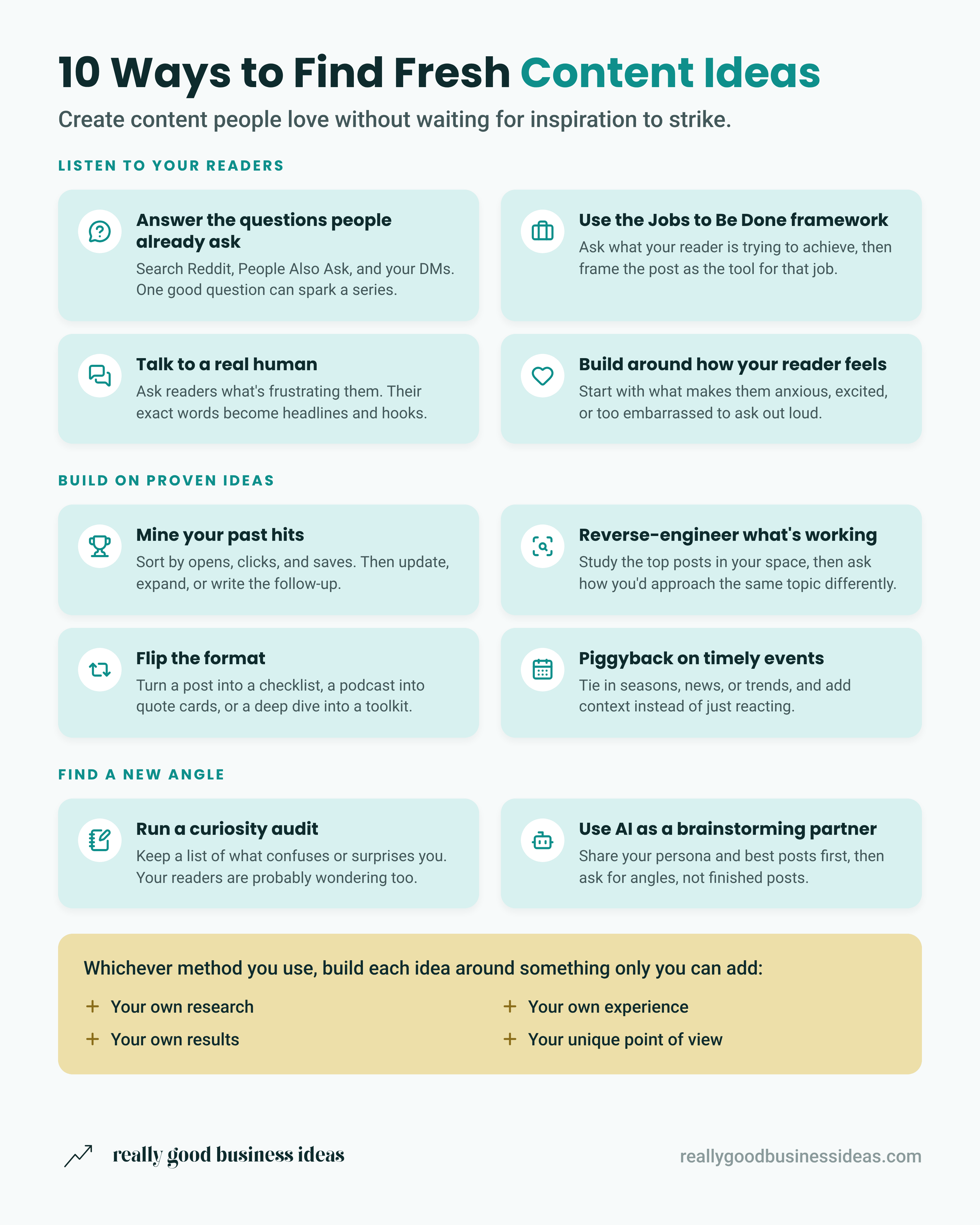
Try a few of these this week and see what clicks. The ideas are already out there…you just have to catch them.
🎁 Premium Bonus: The Claude Content Idea Generator
Really Good Business Ideas Premium members get access to my Content Idea Generator, a Claude skill that runs the 10 methods in this post for you, using your own data.
Before it suggests anything, the skill looks at what you already have: your audience personas, style guide, past posts, drafts, and saved ideas, plus any analytics, Search Console, or SEO tools you’ve connected to Claude. It also searches Reddit, forums, and Google’s “People Also Ask” for the questions people in your niche are asking, and looks at which topics are getting traction with the creators your readers already follow.
You get a list of ideas grouped by where each one came from, like search opportunities, your top posts, and real Reddit threads. Each idea is labeled with the persona it’s for and whether it would work better as a free or a paid post. If your Substack analytics are connected through Substack’s MCP server, it looks separately at the posts that brought in free subscribers and the posts that brought in paid upgrades, since those are usually different posts.
The skill never makes up search volumes, open rates, or trends. Every list starts with a short line naming the sources it used and the ones it couldn’t check, so you always know what’s behind an idea.
You don’t need anything connected to use it. If it can’t find personas or past posts, it asks you a few quick questions instead. Once you’ve picked your favorites, it can save them straight to the Idea Capture database in your Substack Creator OS.
To use the skill, add the Really Good Business Ideas connector to Claude, then type, “Can you help me come up with content ideas using the Really Good Business Ideas Content Idea Generator?”
To endless possibilities,
Casandra
Need More Help?
Really Good Business Ideas Premium: A membership designed to make starting and growing a profitable business easier. Full archive access, DM support, and a library of templates and resources.
Substack Creator OS: A complete operating system for planning, writing, growing, and monetizing your newsletter, all in one connected Notion workspace. (Right now, it’s free for annual Premium subscribers).
Work With Me Directly: Book a 1-on-1 consultation or coaching call to get personalized help when you need it. Think of it as a focused working session to get unstuck, gain clarity, or move something forward.

This is super useful. I just tried the Toro search and WOW. I had never heard of this and am bookmarking this post for future reference.
Thanks, Casandra!