


Spend a few minutes in your publication’s dashboard, and you’ll quickly realize Substack has a lot of metrics.
If you're new to publishing online, terms like open rate, delivery rate, and gross annualized revenue might not mean much to you yet. And even if you've published elsewhere before, Substack has its own versions of these metrics that don’t always work the way you might expect. This guide breaks down every metric in your Substack dashboard in plain language, along with how to actually use each one (or not).
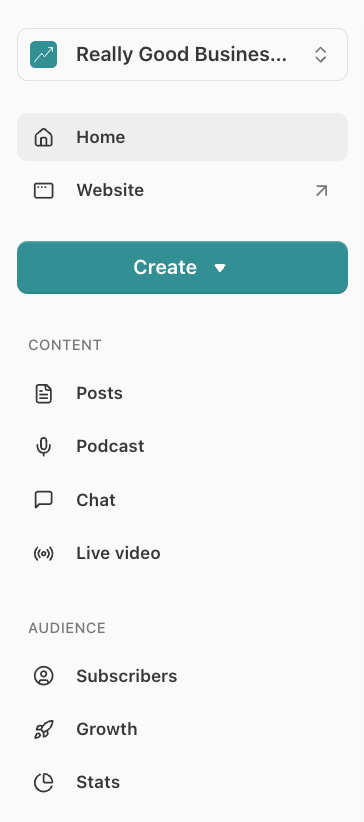
Substack metrics are spread across four dashboard tabs: Home (Overview), Post, Growth, and Stats. Each one can be found in your publication’s dashboard.
I’ll go through each one in order before sharing the metrics I personally use most.
Table of Contents
Overview Metrics
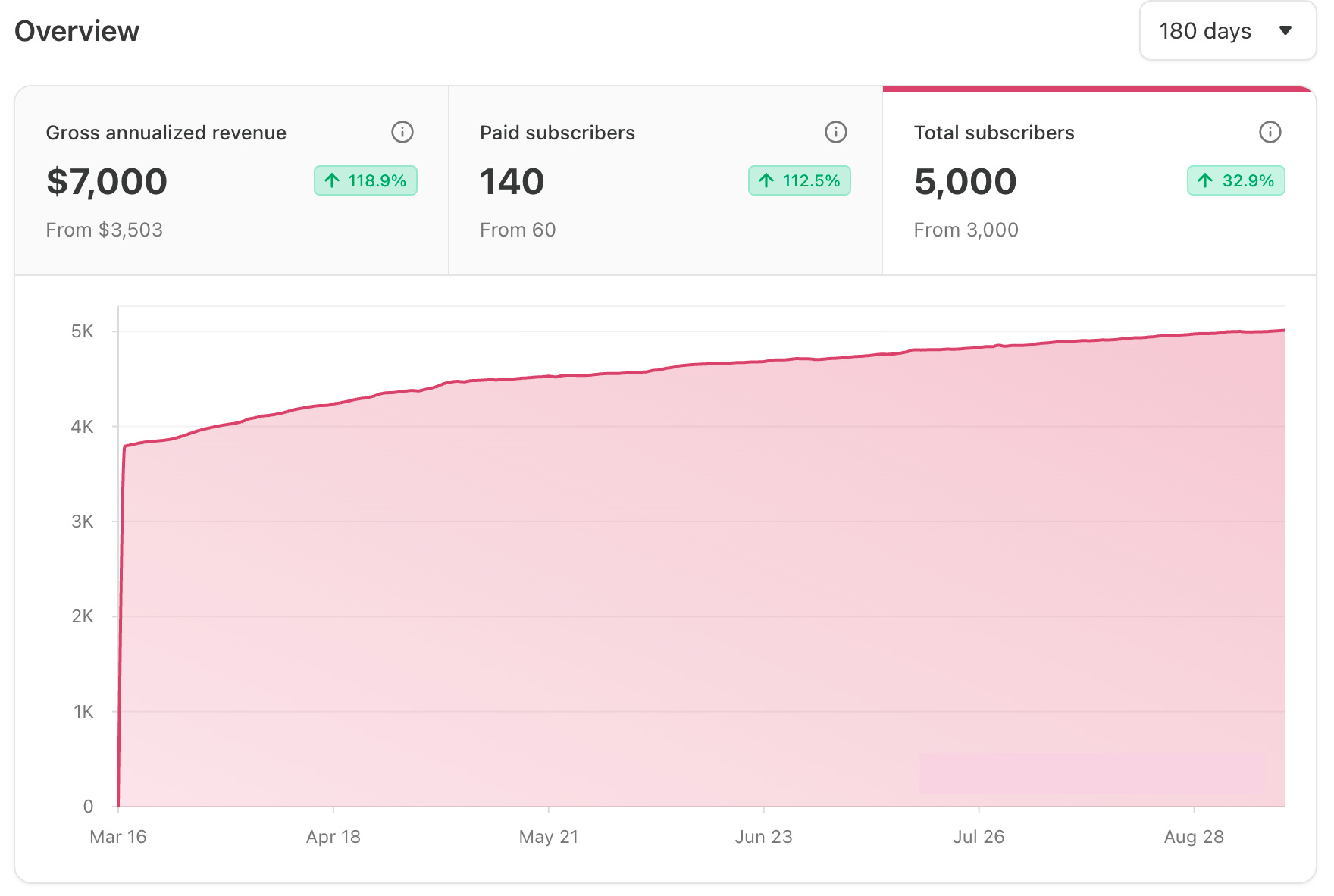
As soon as you log in to your dashboard, you'll see an overview of three metrics that give you a quick read on your publication's current size and growth trajectory.
Gross Annualized Revenue
What It Means: Gross annualized revenue is a projection of how much your publication would earn in a year based on your current paid subscriptions. It doesn't account for Substack's 10% fee, Stripe payment processing fees, or any discounts you've offered subscribers. So the number you see will likely be higher than what actually lands in your bank account.
How to Use It: If paid subscriptions are your primary monetization model, this is the number that matters most. To grow it, you need to focus on the inputs: paid subscribers, your subscription price, and the benefits you offer to paid members. But it's worth asking whether paid subscriptions are the right model for you at all. Many writers do better with alternatives like affiliate marketing, sponsorships, or selling courses, and those revenue streams won't show up here.

Paid Subscribers
What It Means: Paid subscribers is the total number of people who have an active paid subscription to your publication. It feeds directly into your gross annualized revenue calculation and also determines whether you qualify for Substack's bestseller badges.
How to Use It: Paid subscribers is an input, not the end goal. If you’re treating your Substack like a business, revenue is the goal. Focusing too much on simply growing your paid subscribers number can push you toward decisions that don't actually help your bottom line, like heavy discounting or giving away things you could sell separately at a higher margin. That's also why chasing a bestseller badge isn't a strategy I'd recommend for most writers. It’s fine to track paid subscribers as a signal, but be sure to keep an eye on what it’s actually generating in revenue.
Total Subscribers
What It Means: Total subscribers measures everyone who has opted in to receive your notifications for your content, whether by email or through the Substack app. It includes both free and paid subscribers combined.
How to Use It: Think of total subscribers as your north star early on. Paid subscribers will always be a small percentage of total subscribers, so it’s much more useful to focus on growing total subscribers first. Be aware that attrition is normal as people’s interests change and they prune their subscriptions. They're most likely to do it right after you send a newsletter, because that's when they think about it. To grow your list, you need to add new subscribers at a higher rate than you lose them. If your total subscription growth has stalled, you’ll want to look at traffic and individual post performance, which we’ll cover below.

Growth Tab Metrics
The Growth tab in your dashboard sidebar is the best place to start if you want to quickly understand what's actually driving your subscriber and revenue growth and where the biggest opportunities are.
Unique Visitors
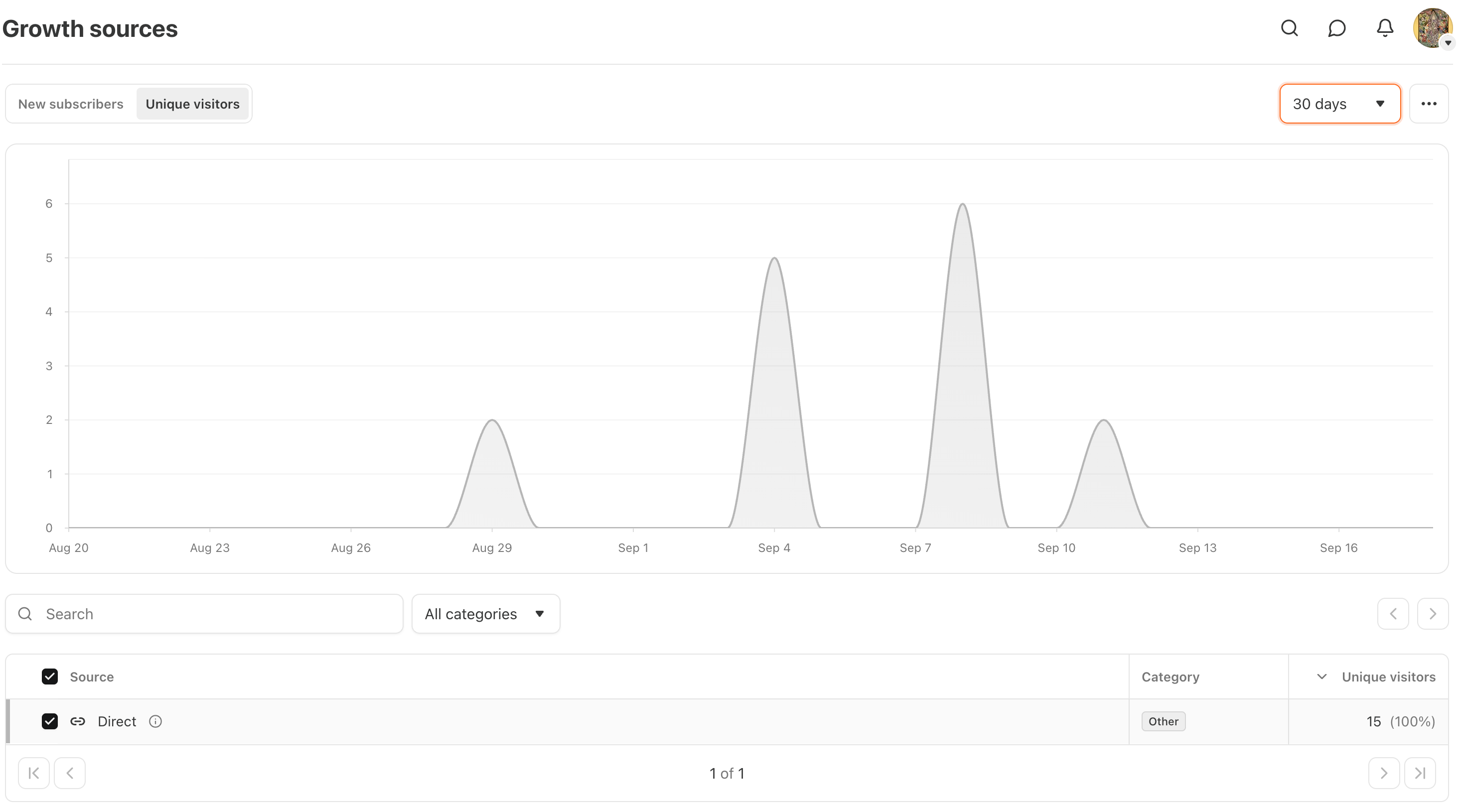
What It Means: Unique visitors is the number of individual people who visited your Substack on a given day. Each person is counted once, regardless of how many pages they visited. You can break this down by source to see where your traffic is coming from, whether that's Google, Reddit, the Substack network, or any other source.
How to Use It: Traffic is the key input into subscriber growth, and this view shows you how it trends over time by day. That makes it easy to connect spikes and dips to specific actions, like publishing a post, getting a mention, or running a promotion. If your subscriber count is stalling, unique visitors also helps you figure out whether you have a traffic problem or a conversion problem.

New Subscribers
What It Means: New subscribers shows how many people subscribed to your publication on a given day, broken down by source.
How to Use It: The overview page shows your cumulative subscriber count, but it doesn’t tell you exactly what’s driving your subscriber growth trend. This view makes that much easier. If you're seeing a slowdown in subscriber growth, new subscribers by day can help you pinpoint when it started and which sources dried up, giving you a much clearer starting point for figuring out what changed.

New Revenue
What It Means: New revenue shows new paid subscription revenue by source, expressed as annualized recurring revenue. It uses last-click attribution, meaning it captures the channel someone upgraded from, not necessarily where they first discovered you.

How to Use It: This view is interesting for seeing which channels are driving paid conversions, and Notes, in particular, is worth keeping an eye on. Outside of that, I don’t find it all that useful at the source level without knowing which posts and pages are driving the upgrades. You can get some of that from individual post stats (which we’ll cover below), but if you really want to dig into which content is converting paid subscribers, Google Analytics gives you a much clearer picture.

Unlock Better Insights: How to Use Google Analytics to Understand Your Substack Traffic (For Free!)
Publication Stats
Substack publication stats provide data on your entire publication, revealing who your audience is, how they found you, and how they engage with your publication.
While post stats help you optimize individual pieces of content, publication stats let you step back and see the bigger picture. They help identify patterns not visible from single posts, prompt questions about audience needs, and support strategic decisions for your publication’s future, beyond just optimizing your next post.

Post Stats
Substack post stats are the data Substack tracks for each post you publish, showing you how your audience found, opened, and engaged with it.
What sets them apart from most publishing platforms is that every Substack post is both an email and a web page simultaneously. That means your stats are capturing two different audiences: subscribers who received it in their inbox or app, and web visitors who found it through search, social, or a referral link. Understanding which audience each metric reflects changes how you interpret your numbers and the decisions you make based on them, whether that’s figuring out what content is working, understanding your true reach, or pitching sponsorships.

Bonus: Substack Leaderboard Rankings
Technically, leaderboard rankings (Top, Rising, New Bestseller) are Substack metrics, too. I generally recommend ignoring them most of the time, but if you’re interested, you can learn more about how they work in the article below.

The Metrics I Use Most
There are obviously a lot of metrics in your Substack dashboard, and trying to track them all can lead to analysis paralysis. These are the ones I actually look at regularly to understand how my publication is performing and inform my strategy.
Overview: I peek at the overview metrics a few times a week to stay aware of where things stand. I’m looking for surprises: a steeper climb, an unexpected plateau, or a dip that tells me something has changed and is worth investigating further.
Traffic (Growth and Stats Tabs): I peek at unique visitors in the growth tab and traffic in the stats tab a couple of times a month to understand which channels are driving my growth and see if there’s anything surprising. If I want to dig deeper into the numbers, I go to Google Analytics or Google Search Console.
Traffic (Google Analytics): I look at traffic in Google Analytics as needed to dig into individual channel or post performance, especially when something changes, or when I want to identify my most trafficked posts for a promotion.
Posts (Stats Tab): Every month or so, I use the posts summary in the Stats tab to scan for top-performing posts and understand what's working. Sorting by engagement rate or subscribers gained helps me identify which topics and formats my audience responds to most. From there, I try to understand why those posts did well so I can do more of it.
Retention: I check retention every couple of months to get a read on the overall health of my paid subscriber base. I’m looking for any issues in the cohort analysis and to see how recently acquired subscribers are retaining compared to older cohorts.
Ultimately, the goal isn't to master every chart in your dashboard, but to use these insights as a compass to keep creating work that resonates with your audience and helps you reach your goals.
To endless possibilities,
Casandra
Need More Help?
Really Good Business Ideas Premium: A membership designed to make starting and growing a profitable business easier. Full archive access, DM support, and a library of templates and resources.
Substack Creator OS: A complete operating system for planning, writing, growing, and monetizing your newsletter, all in one connected Notion workspace. (Right now, it’s free for Premium subscribers).
Work With Me Directly: Book a 1-on-1 consultation or coaching call to get personalized help when you need it. Think of it as a focused working session to get unstuck, gain clarity, or move something forward.

Bookmarking this